As we enhance our services, we want to inform our users that the location for accessing version 9 (V9) of the Embla Norwegian Family History has changed. V9 users can still access the platform, and V10 users may also need to visit the V9 site to view cloud backups or review data from their previous version.
To access the V9 site, please follow these steps:
1.Go to www.embla.no .
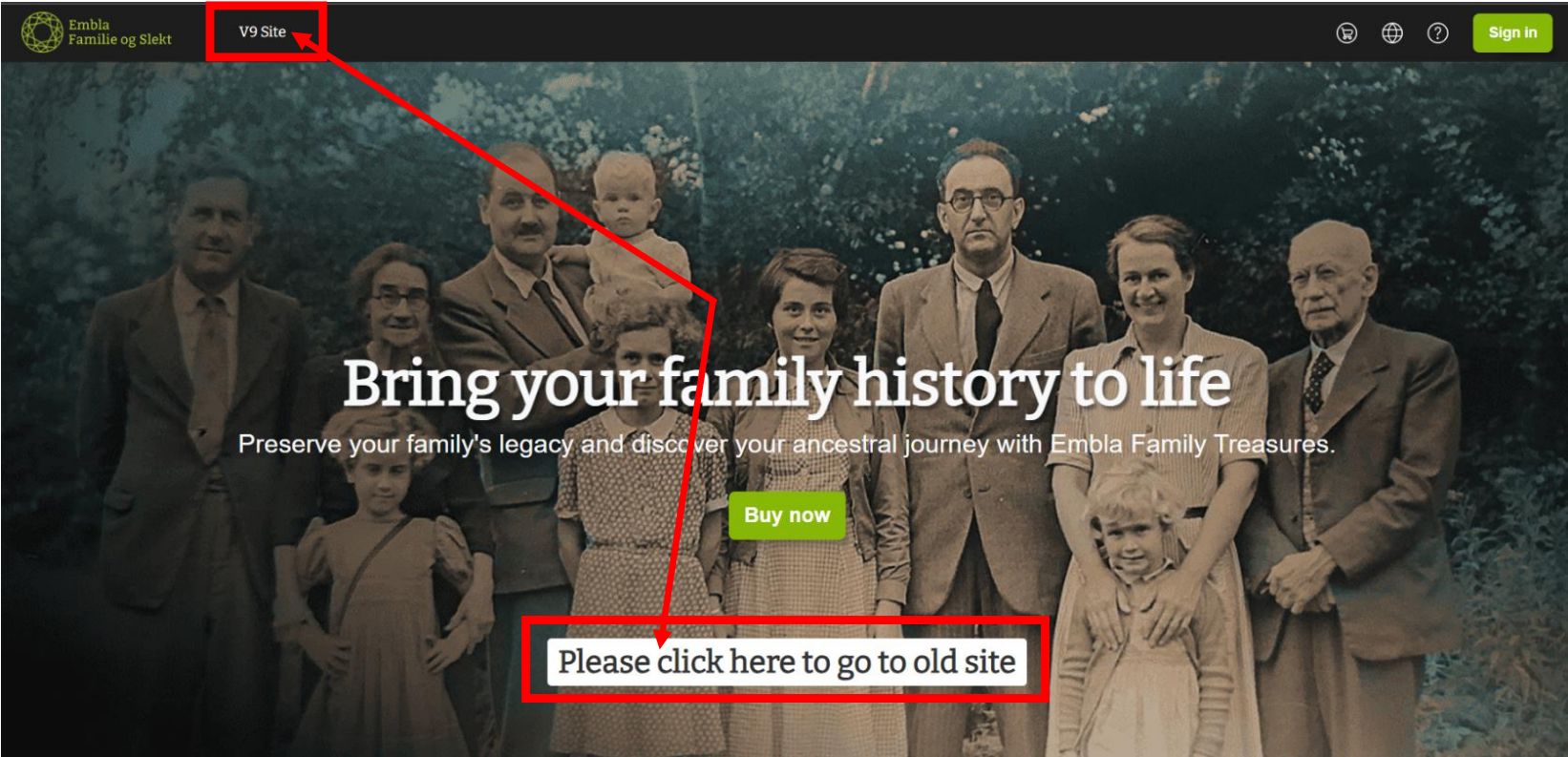
2. Click on the “V9 site” link in the navbar or the “Please click here to go to the old site” button. Once you click on one of these links, you will be redirected to the V9 site login page.
3. Enter your correct email and password.

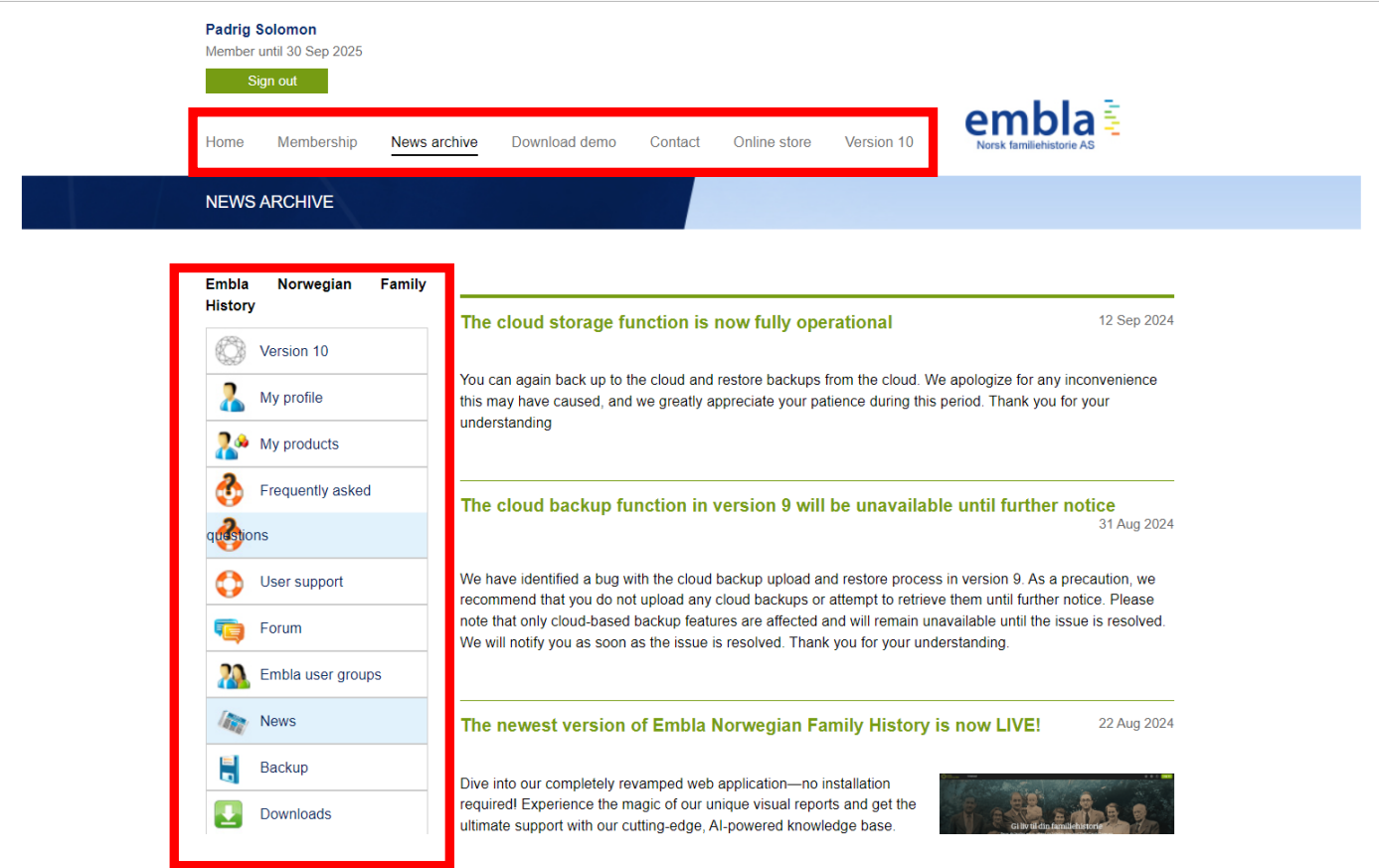
4. You can now see the V9 site and the available services.
Leave a Reply