Sometimes, users need to install version 9 of Embla Family History, especially when setting up a new PC. This article will guide you through the steps for downloading and installing version 9, ensuring you can smoothly set up the software on your new system. Follow the detailed instructions below to complete the installation process successfully.
- Go to www.embla.no .

2. Click on “v9 site” link to access the version 9 site.
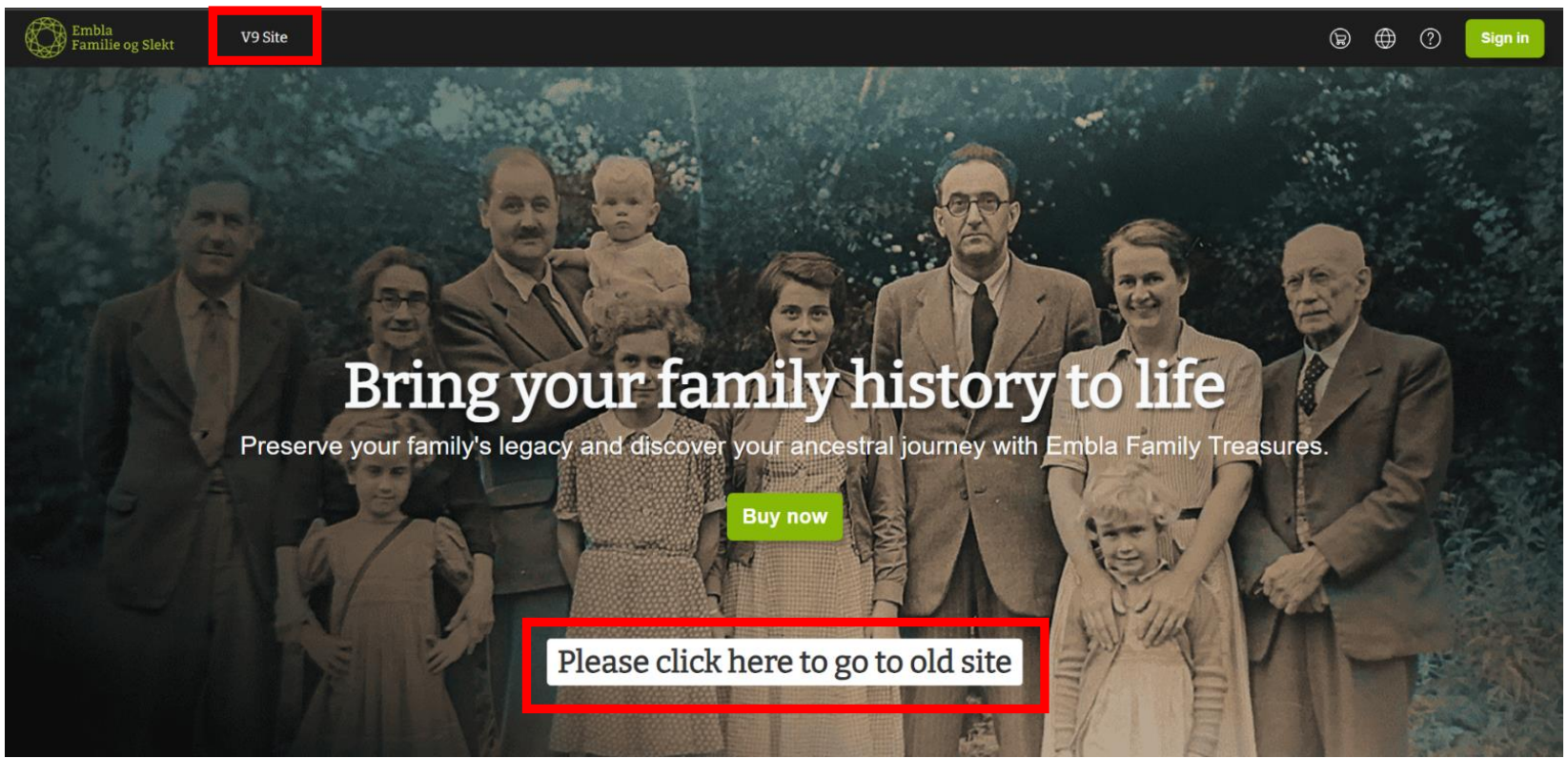
3. Login to the site using your email and password for your registered account.

4. Go to downloads.
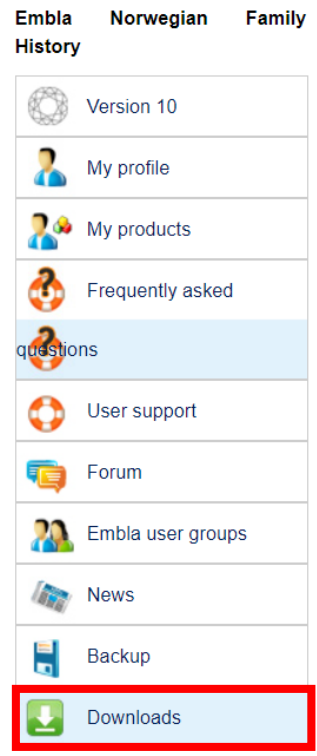
5. Click on ‘Embla Familie og Slekt v9’.
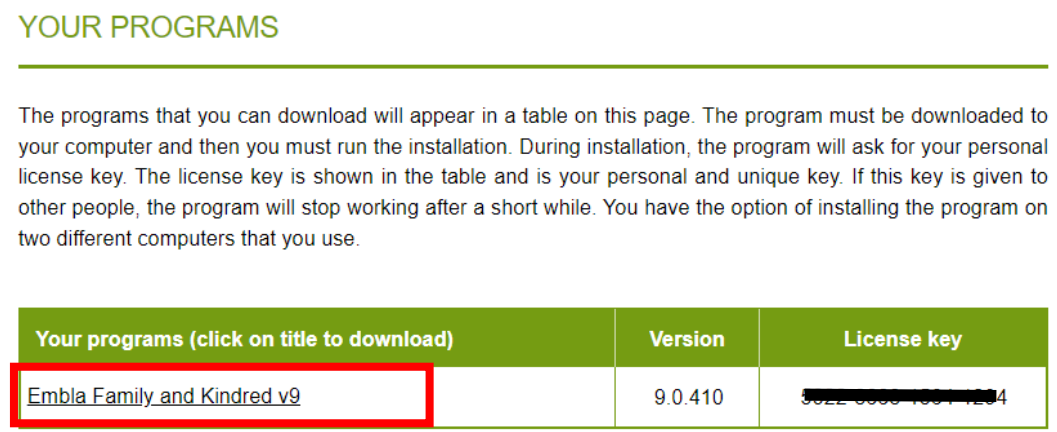
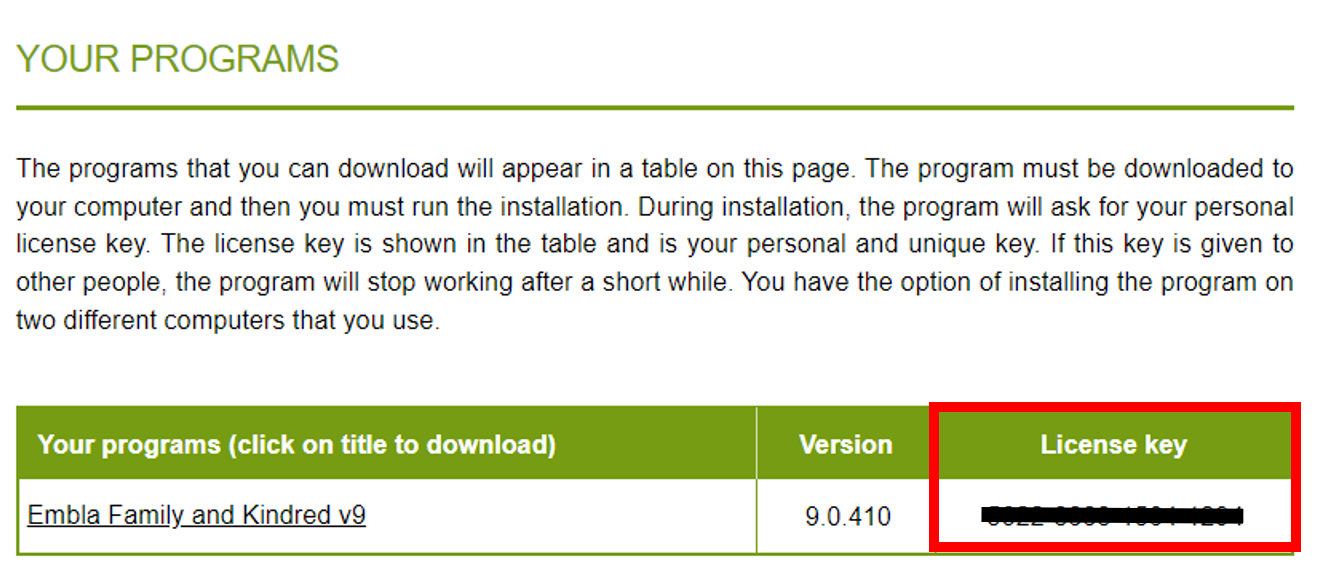
6. Please make sure to copy the licence key.
7. Once your V9 setup is fully downloaded run the file.
The version 9 setup file will be downloaded to your PC’s ‘Downloads’ folder.
Go to your ‘Downloads’ folder and double-click on the downloaded setup file to start the installation.
8. At a point it will ask to enter the licence key, please paste the licence key you copied from the site.
Leave a Reply