To ensure smooth operation when performing cloud backups or restoring from the cloud in Version 9 (V9) of Embla Family Treasures , it is crucial that users update their personal license details. Before initiating any cloud-based actions, users must verify and correct their membership information, such as name, email, and password, within the V9 application. Failing to update your membership information correctly may result in blocked access or errors occurring during the backup or restore process.
Follow these steps to update your membership information in V9:
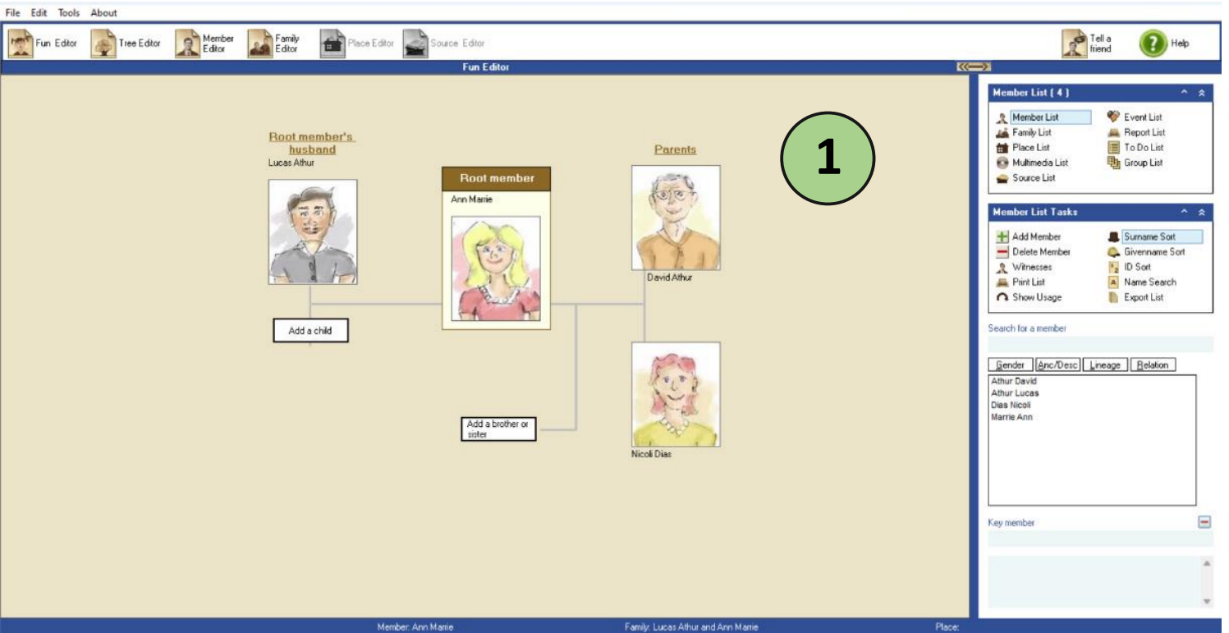
- Open the version 9 application on your PC.
You will get a page like below.
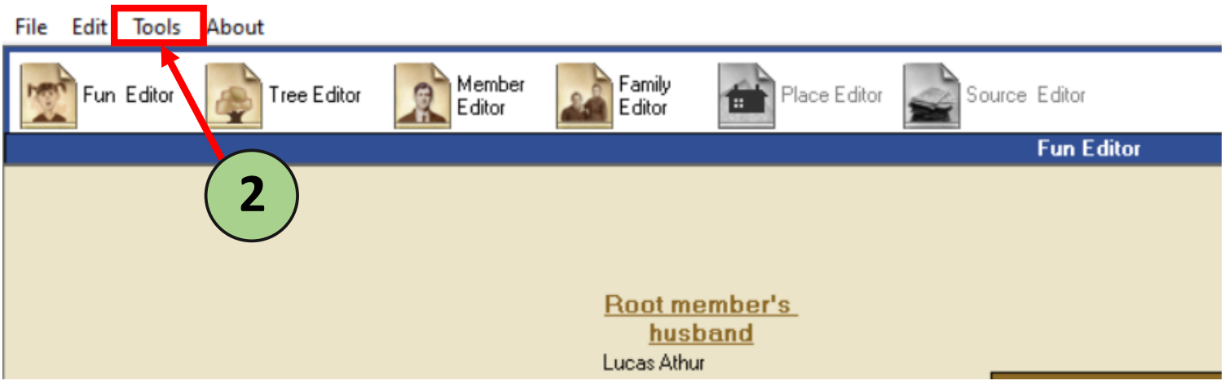
2. Click on the ‘Tools’ link.
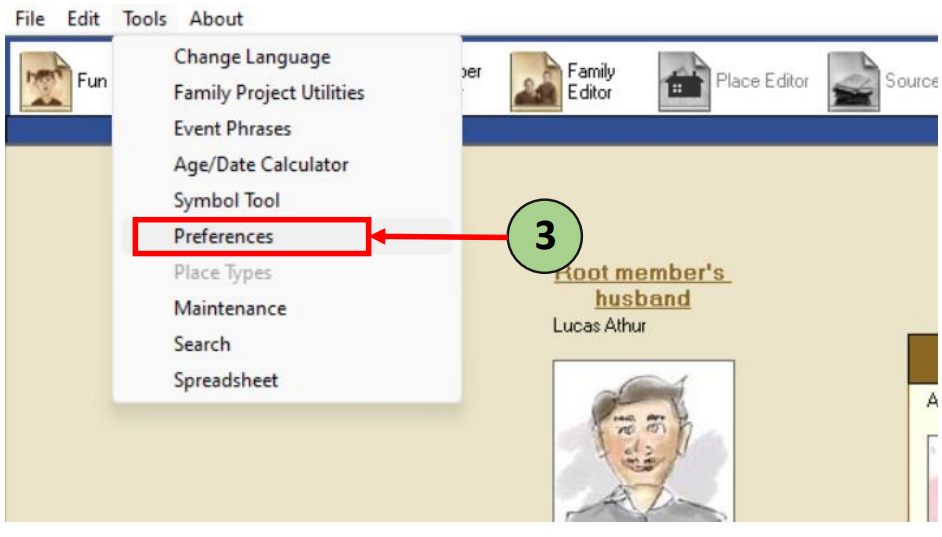
3. Select the ‘preferences’ link
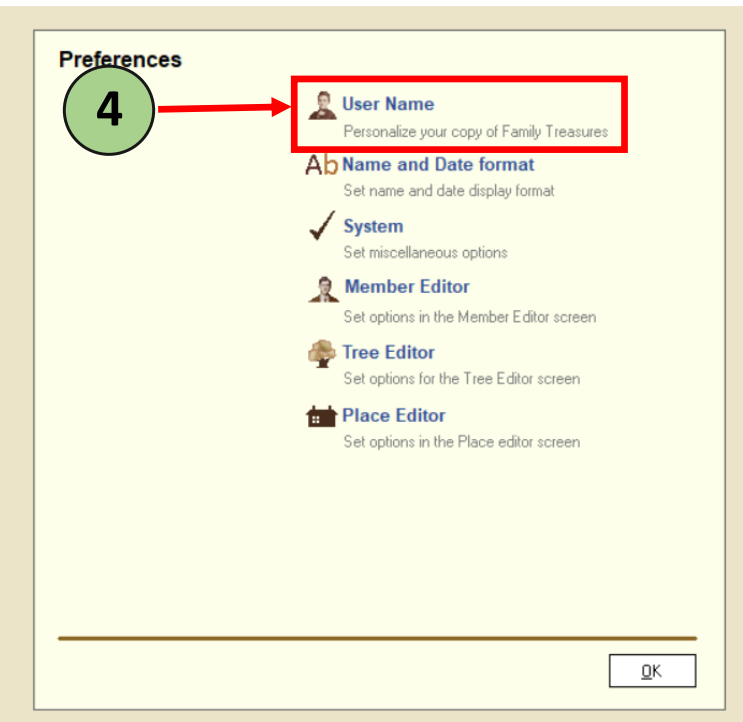
4. Click on the ‘User name’ link.
You will be directed to a form to update your details.
5. In there, please, fill the form.
Under “User Name” form, make sure the following details are filled in:
- First Name
- Last Name
- Password
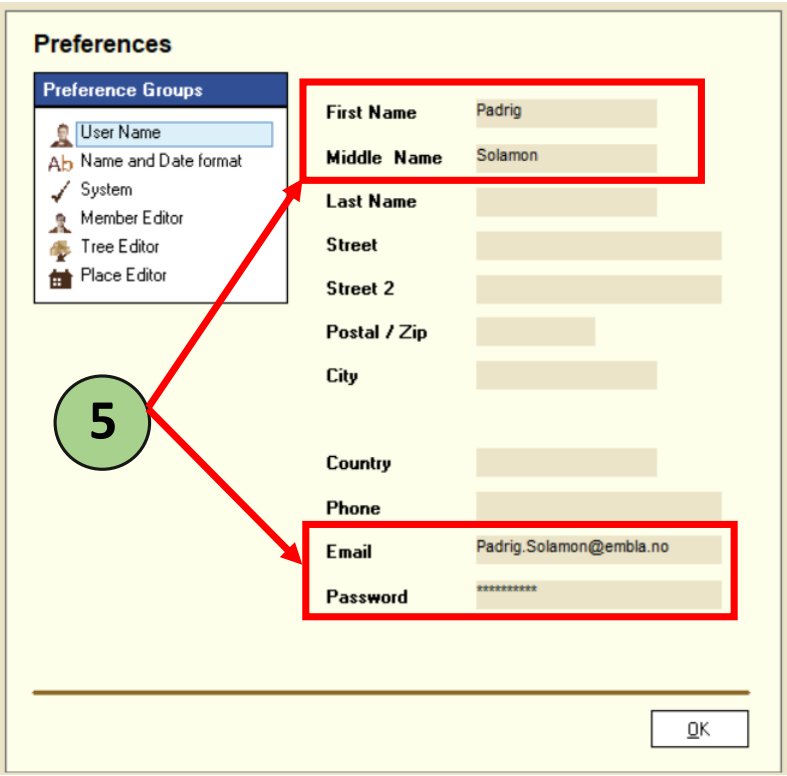
(Please use the details you have provided when registering for the genealogy program.)
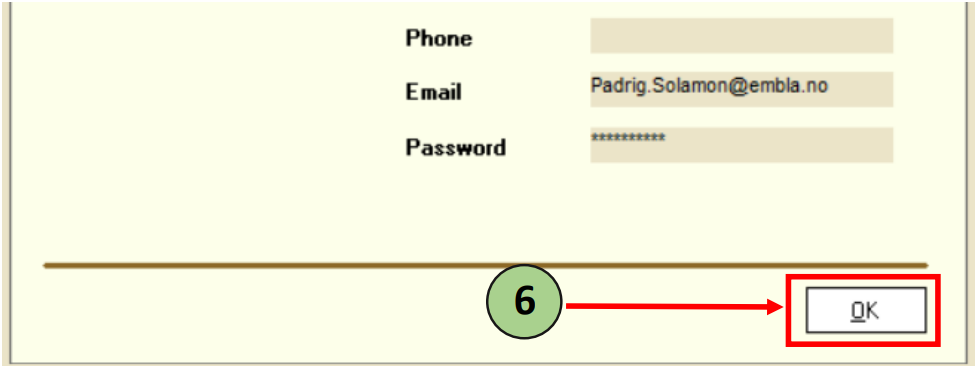
6. After completing the form, click ‘Ok’ button.
7. Close the version 9 program and reopen the version 9 application again.
8. Now, you can proceed with any actions within the application.
Leave a Reply