Incognito mode
Incognito mode is a private browsing feature in web browsers that allows users to surf the internet without saving their browsing history, cookies, or site data after the session ends.
Using incognito mode can help resolve caching and login access issues in the version 10 application. It allows you to start a fresh browsing session without saved data or cookies, which can sometimes interfere with login functionality.
How to open version 10 in Incognito mode?
Here is how you can do that:
1.Open your browser (Chrome, Firefox, Edge or any other browser).
2.In the top-right corner, click the three dots (or lines) to open the settings menu and select New Incognito Window (or New Private Window).
Alternatively, use the keyboard shortcut:
-
- Ctrl + Shift + N (on Windows)
- Command + Shift + N (on Mac)
3. In the incognito/private window, go to www.embla.no and press Enter.
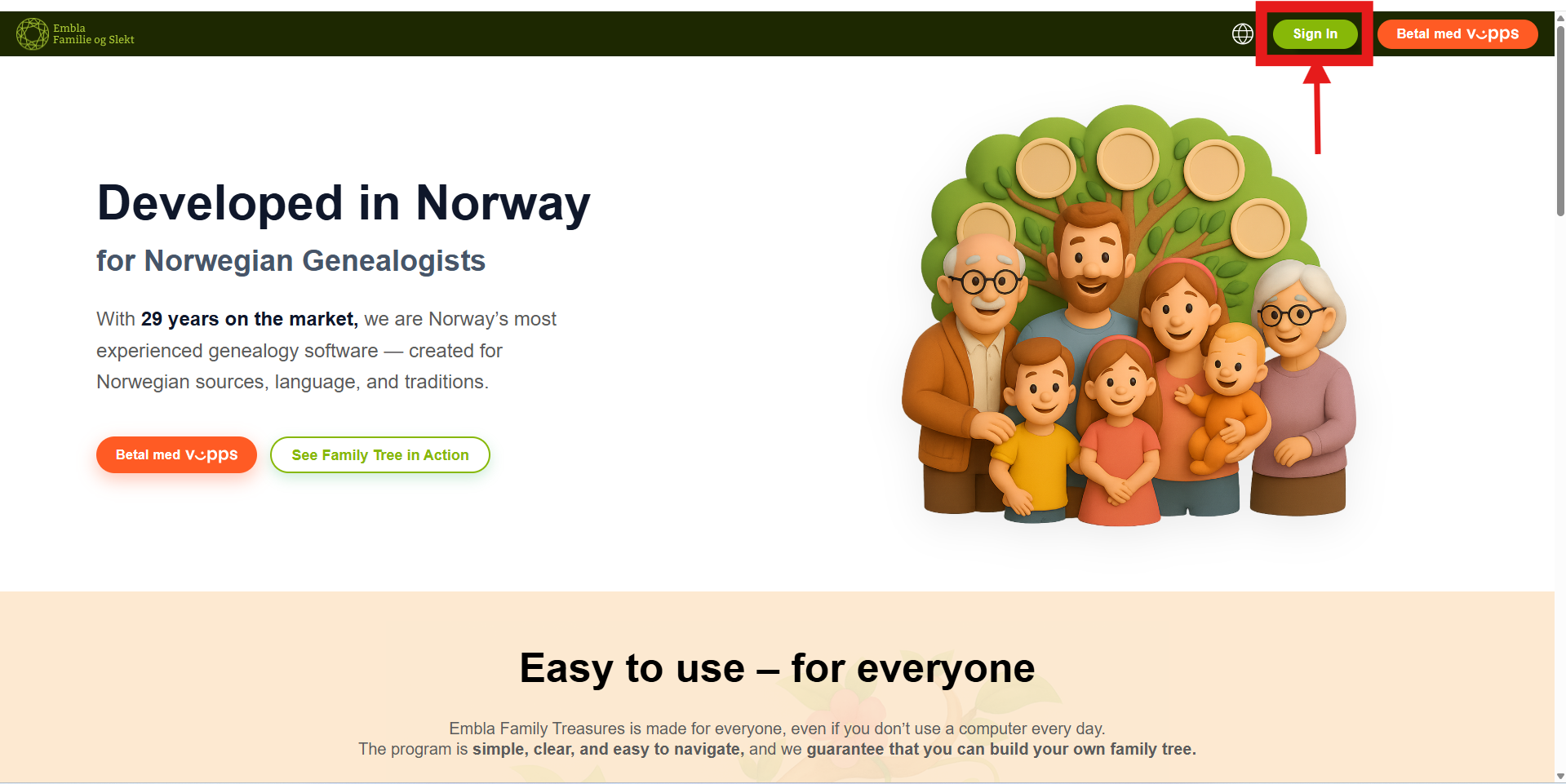
4. Once the Version 10-page loads, click on the “Sign in” button.
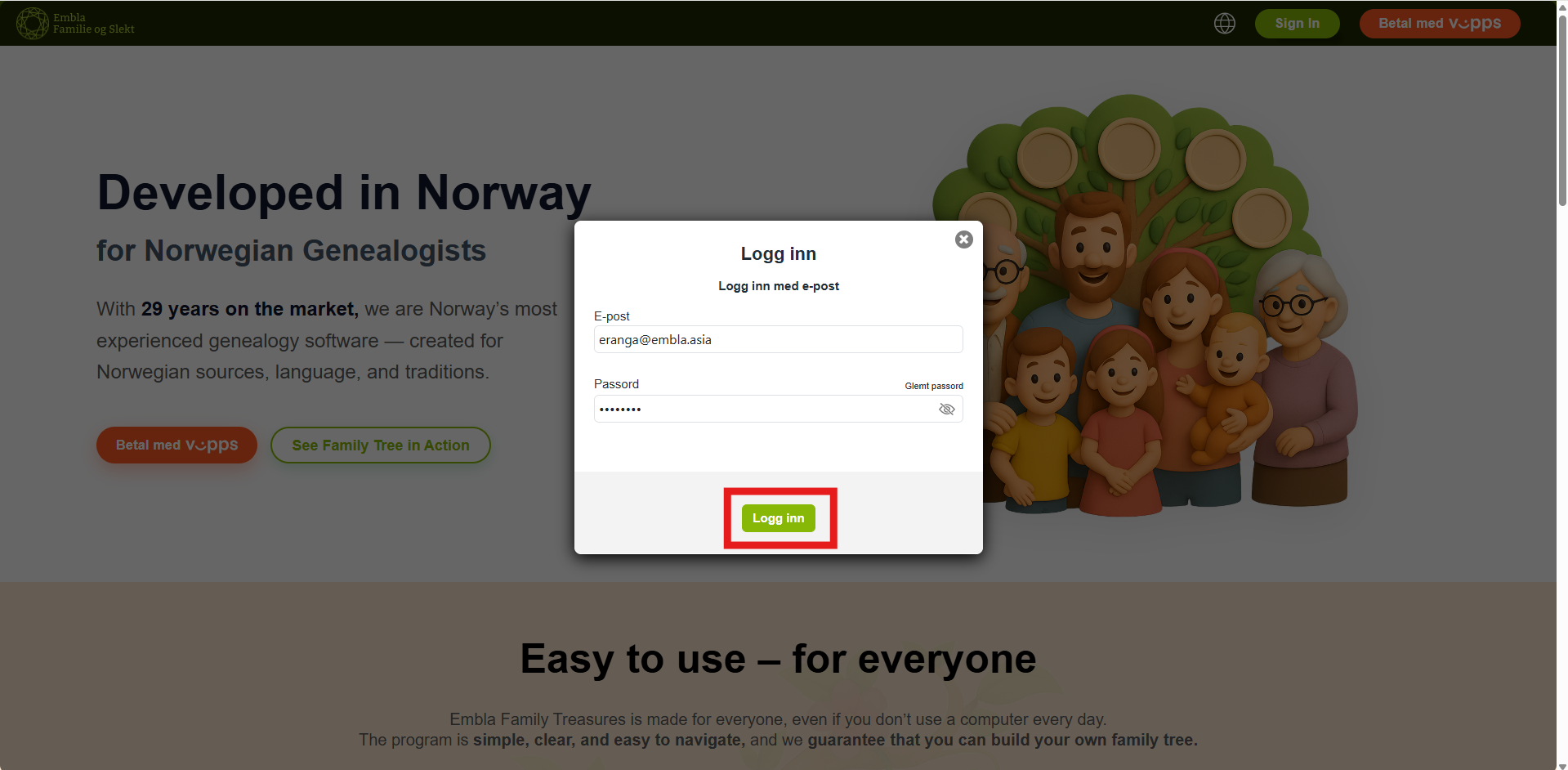
5. Enter the email and password associated with your Embla account.
6.You will be redirected to a loading page and then gain access to your dashboard (home page).
Leave a Reply