If you have forgotten your password for accessing Embla Family History, follow these simple steps to retrieve it:
1.Visit the Embla Website.
Go to www.embla.no.
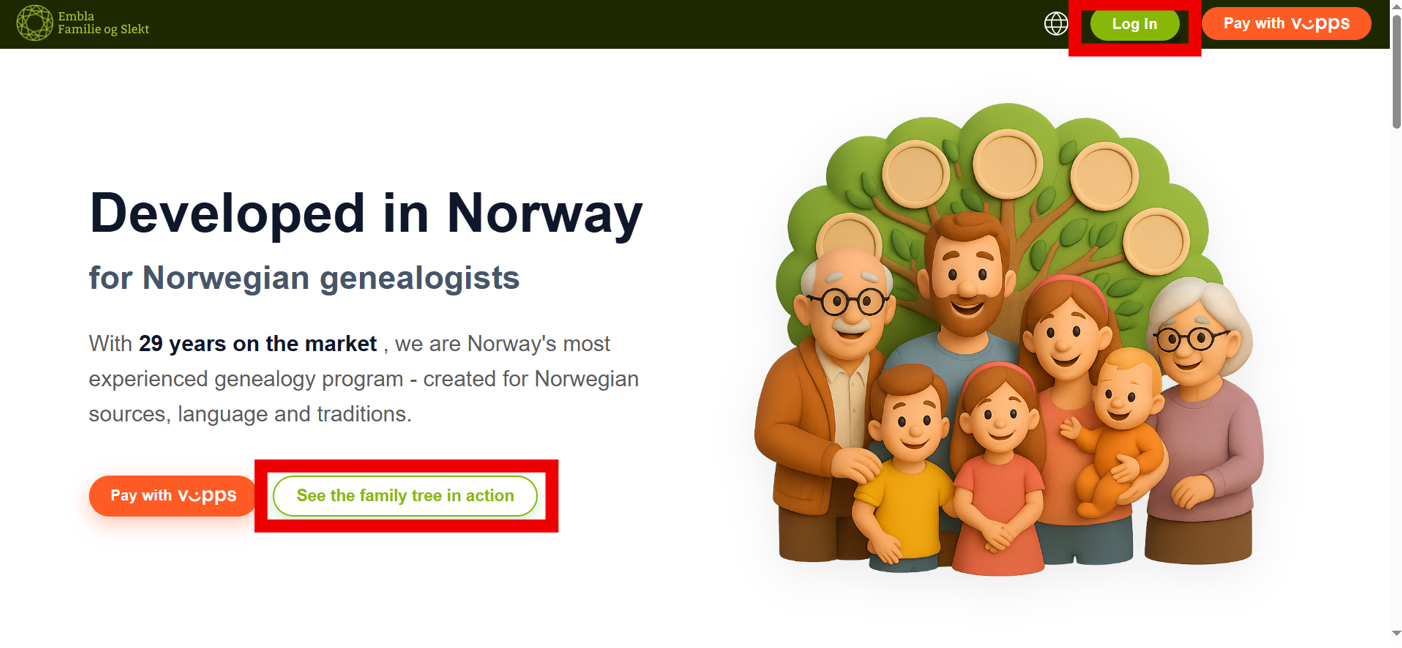
2.Click the Sign in Button.
On the homepage, locate and click the “Sign in” button or “See the family tree in action” button.
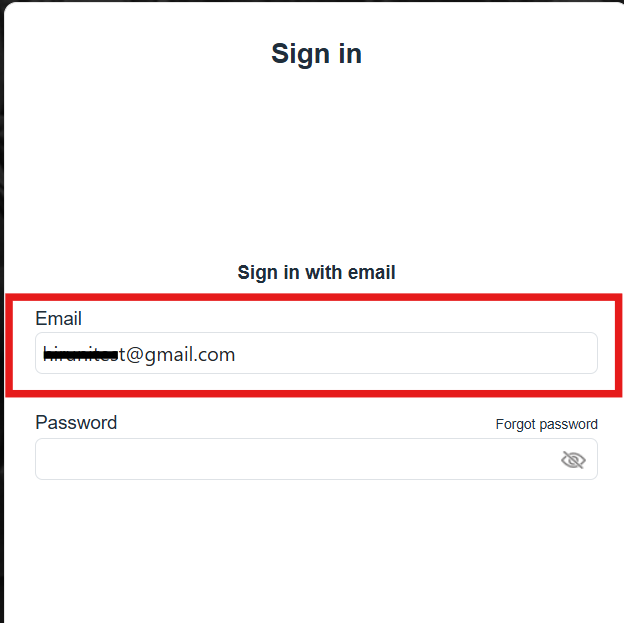
3.Enter your registered email address associated with your Embla account.
4. Click the “Forgot Password” Link.
Under the login form, click the “Forgot password” link.
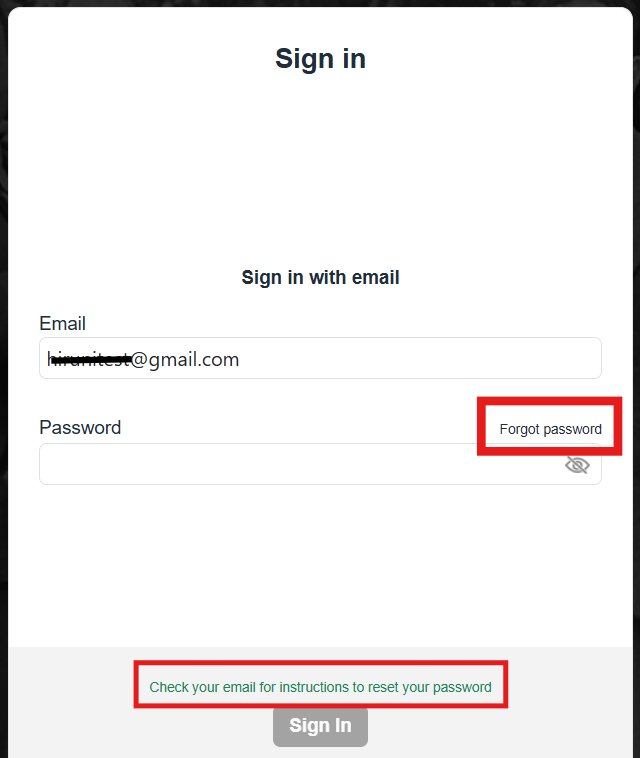
5.Check Your Email.
An email containing your password will be sent to your registered email address. Please use that password to log in.
Leave a Reply