We are excited to introduce a brand-new look and feel to the Embla Version 10 dashboard — redesigned with you in mind! This release includes exciting new features that make it easier than ever to explore your family history and stay connected. Here’s a quick guide to what’s new and how to make the most of it:
👪 1. Quick Access to Your Default Family Tree
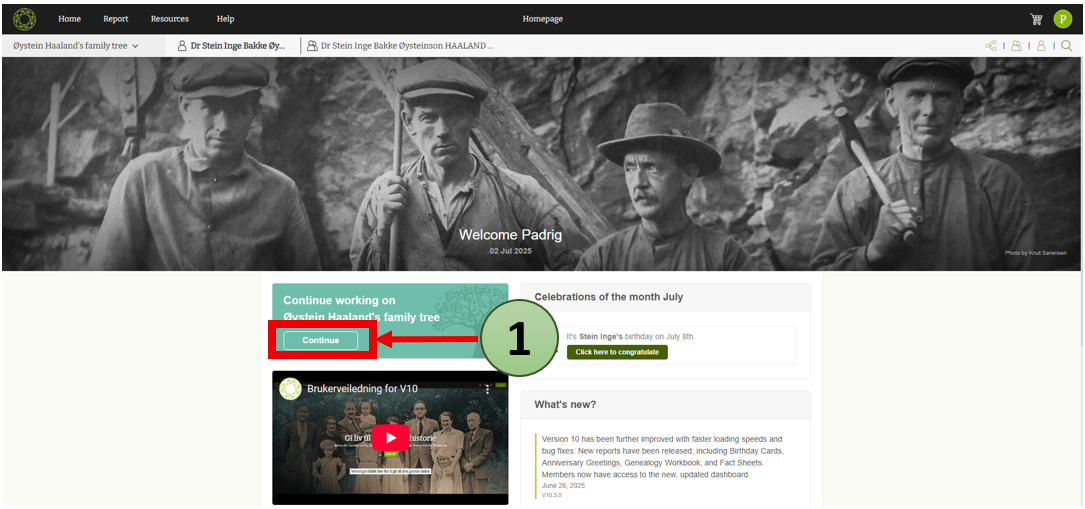
The new dashboard offers a smoother way to jump into your family records.
Simply click the “Continue” button to access an overview of your default family tree. This brings you directly into the heart of your family history in just one click.
🎥 2. New Guidance Video
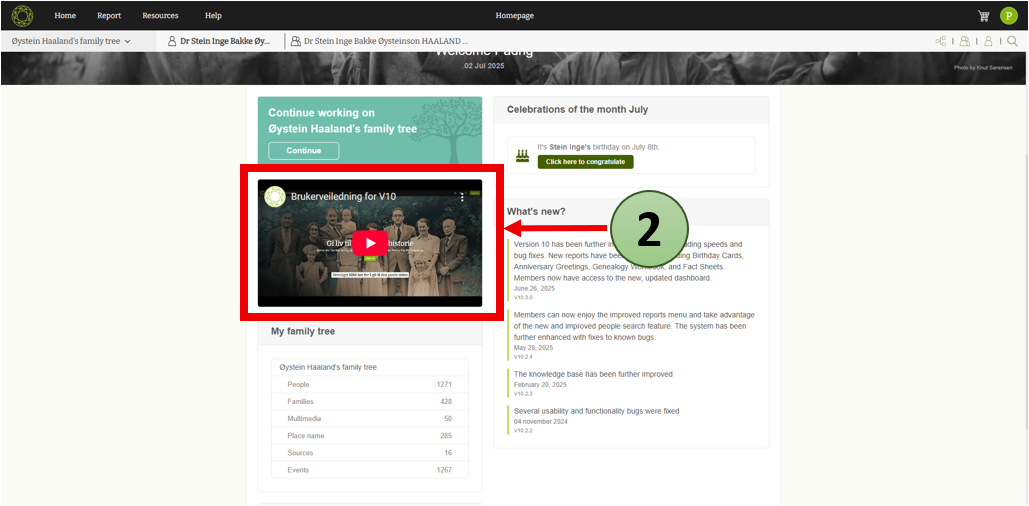
We’ve added a helpful video guide on the dashboard!
This tutorial gives you a clear overview of the main features and how to navigate the Embla V10 application. Whether you’re new or experienced, this makes your journey easier.
The video is available on our Embla Norsk Familiehistorie YouTube channel, where we’ll continue adding more how-to videos in the future.
Tips for Watching the Video:
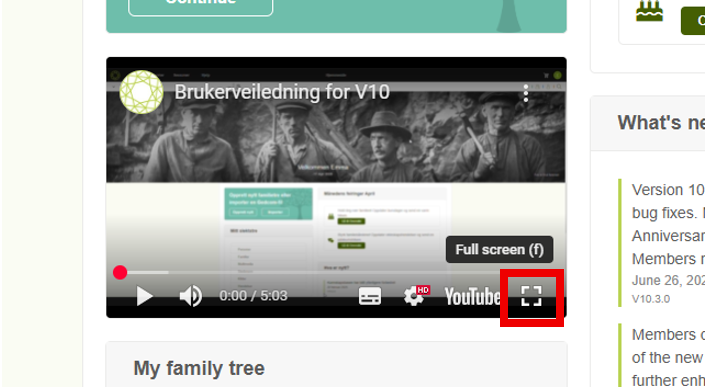
- Full screen: Click on the square icon to resize the video window in your browser
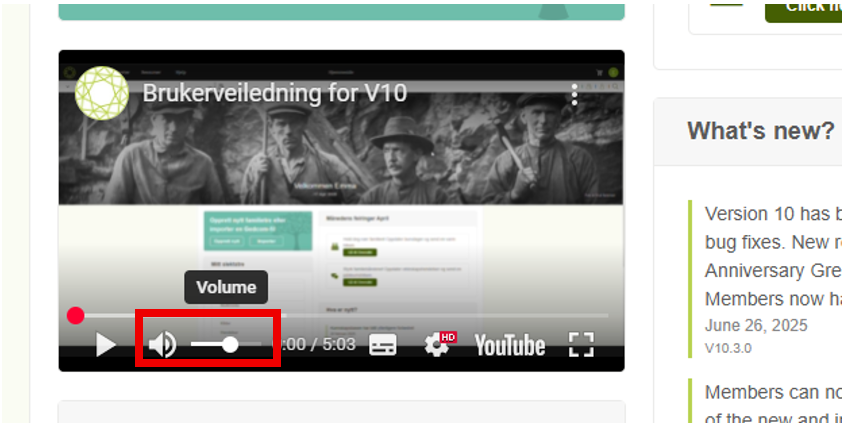
- Adjust Volume: Hover over the speaker icon in the video player and move the slider to increase or decrease the sound.
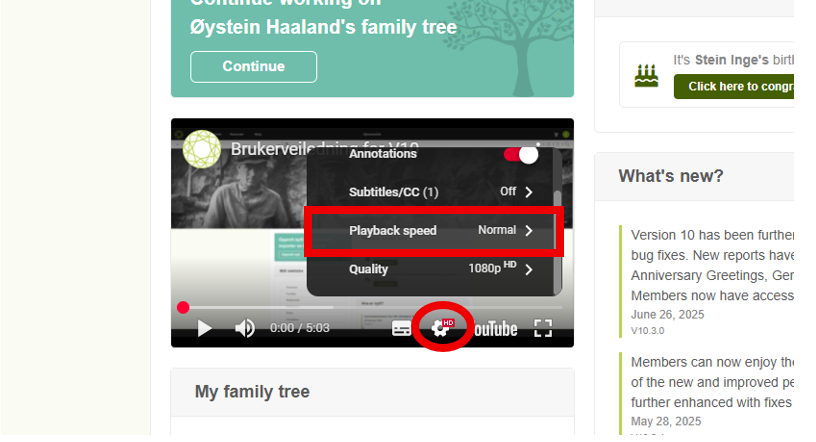
- Playback Speed: Click the setting icon (gear icon) in the YouTube video player and choose a speed to slow down or speed up the video (e.g. 1.25x, 1.5x).
📊 3. New Family Summary Panel
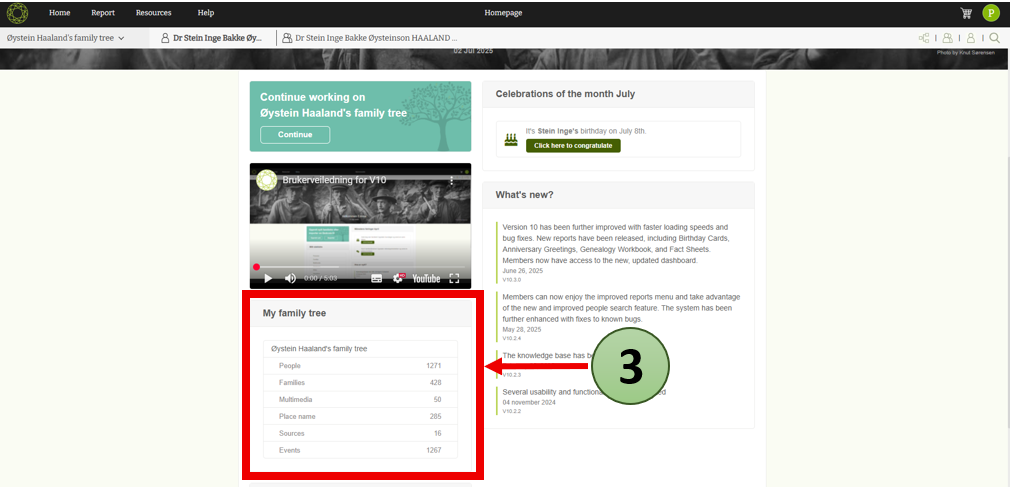
Get an instant overview of your default family tree with the new static summary section.
Here you’ll see a count of key elements like People, Families, Multimedia, Place Names, Sources, Events.
This gives you a quick snapshot of your family data at a glance.
📣 4. Connect with Us on Social Media
Want to stay updated or get help?
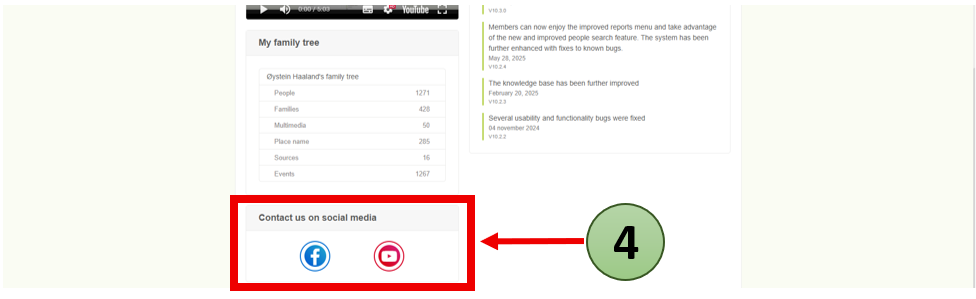
We are now more active than ever on YouTube and Facebook.
Look for the social media icons on the dashboard — click to connect, follow, or send us a message. We love hearing from you!
🎉 5. Birthday & Anniversary Notifications
Celebrate your family with our newest feature!
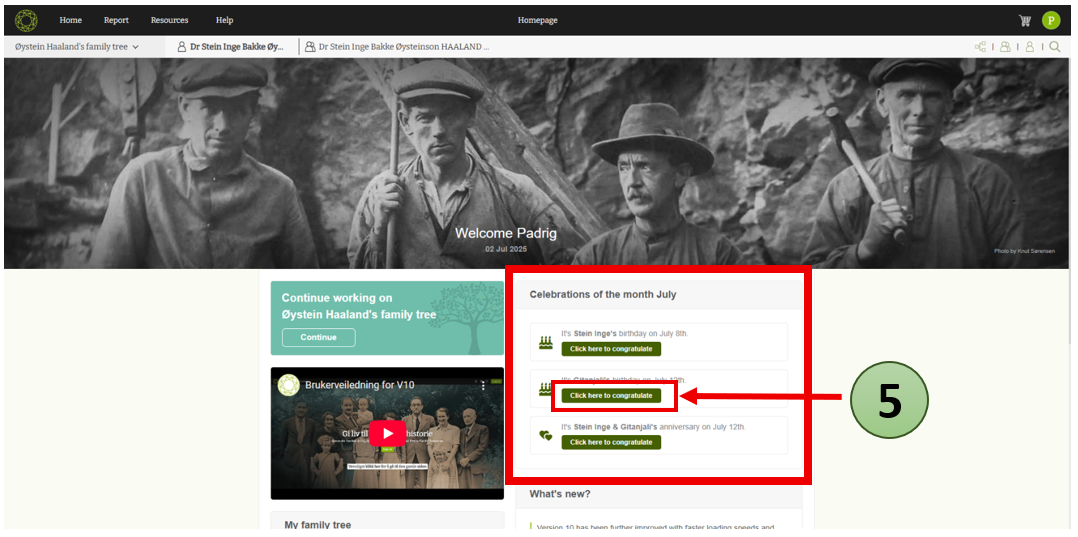
The dashboard now shows birthdays and marriage anniversaries coming up this month. You can even create custom greeting cards to send your congratulations!
- Click “Click here to congratulate” to view the greeting card.
- Press the “Regenerate” icon 🔄 to get the most updated card on the greeting card page.
- Want a printable version? Click the “Publish” icon to download the card as a PDF.
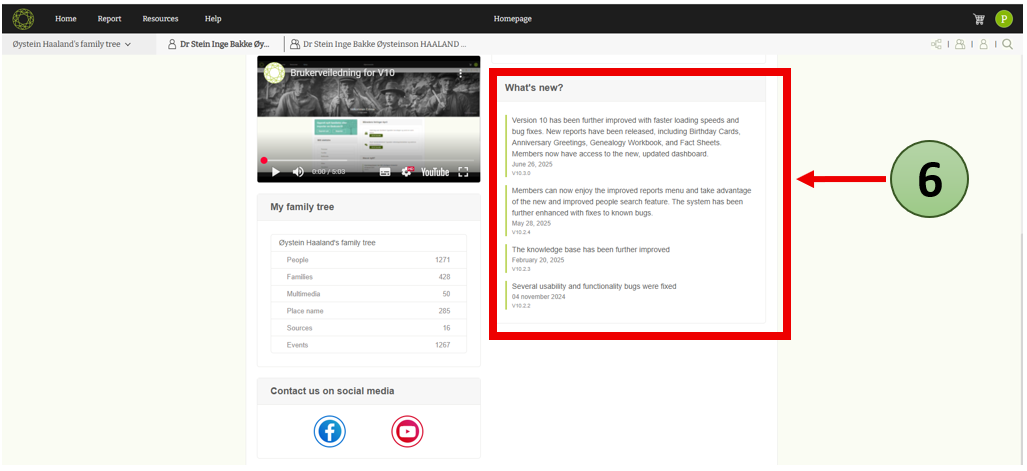
🆕 6. What’s New in Embla?
At the bottom of the dashboard, you’ll find the “What’s New” section — a list of recent updates, bug fixes, and feature improvements. Stay informed about everything that’s happening in Embla V10.
We hope you enjoy the refreshed dashboard and the powerful tools now at your fingertips.
This is just the beginning — many more improvements and helpful features are on the way!
Thank you for being part of the Embla family.
Leave a Reply