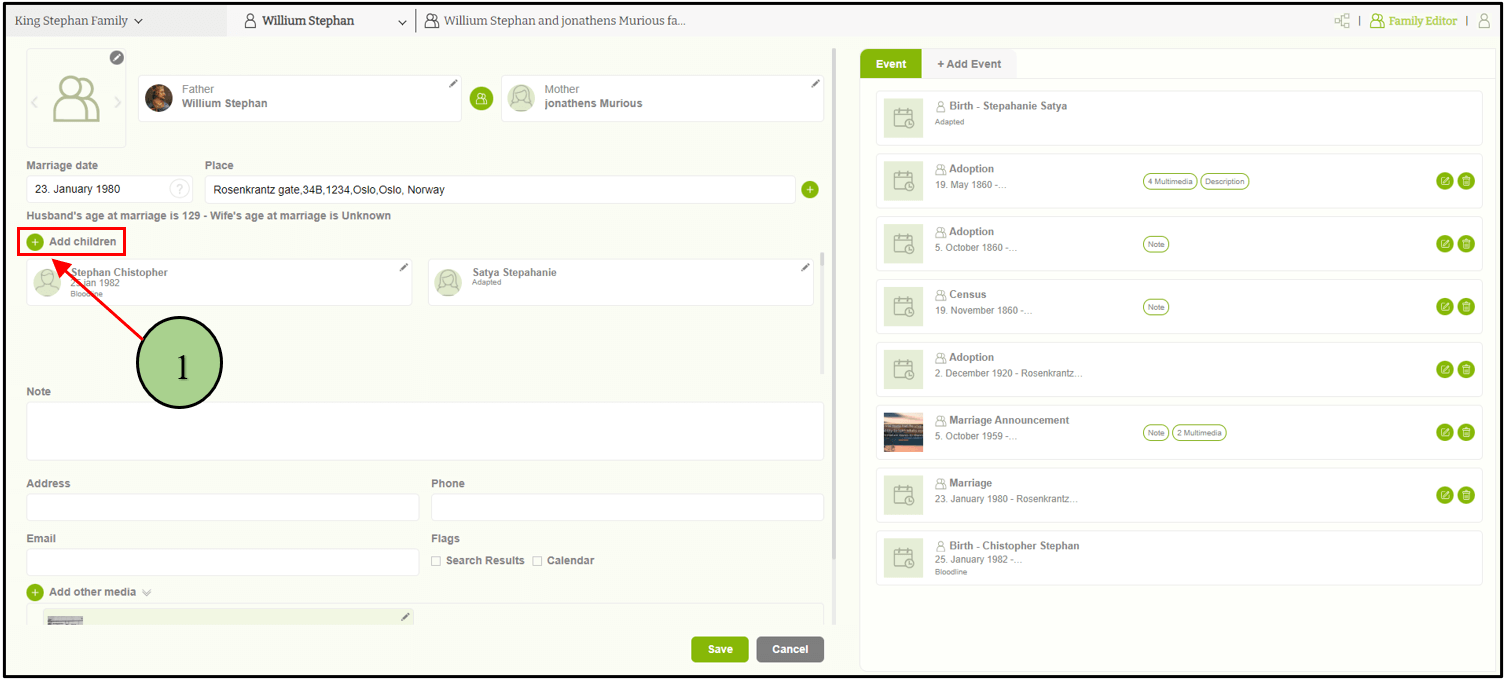
1. Users can add a child to a family by clicking on the ‘Add children’ button “+” icon.
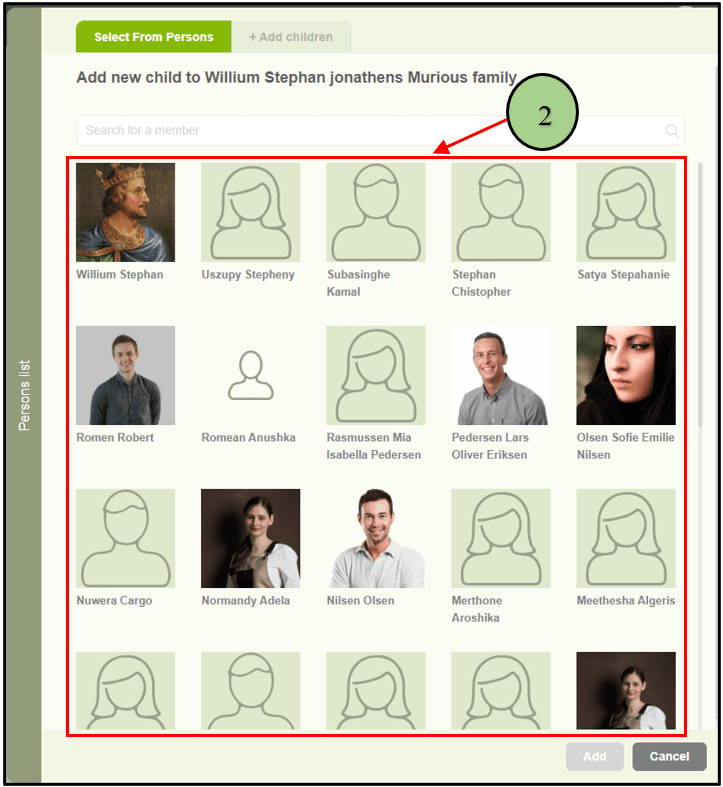
2. Then a popup will be opened with two tabs to select from the available list or to add a new child. If the user wants to add an existing person as a child, then the user must select the “Select from persons” tab first and select the relevant person.
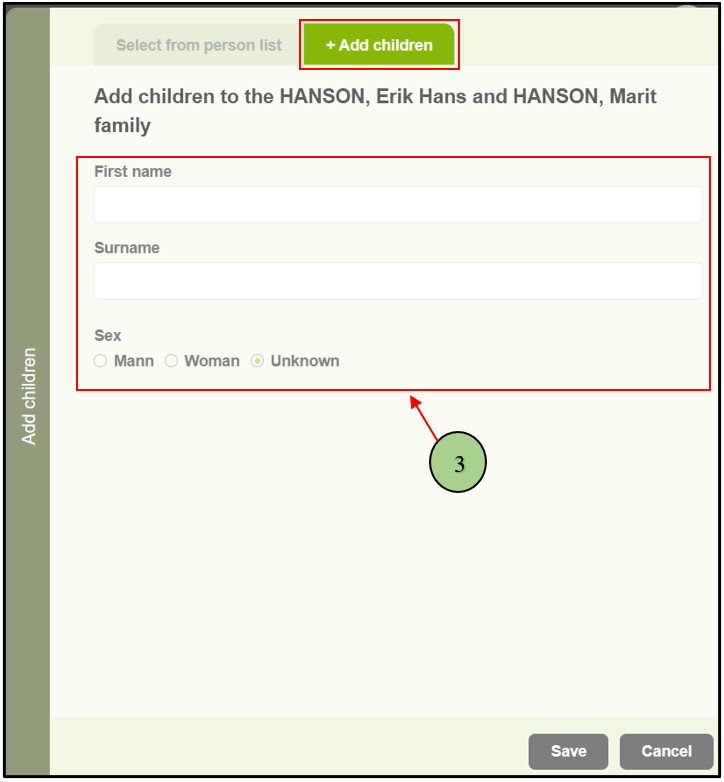
3. If the user wants to add a new person as a child, then select the “Add children” tab. Then the user can add the first name, last name, and gender to add the new person as a child to the family.
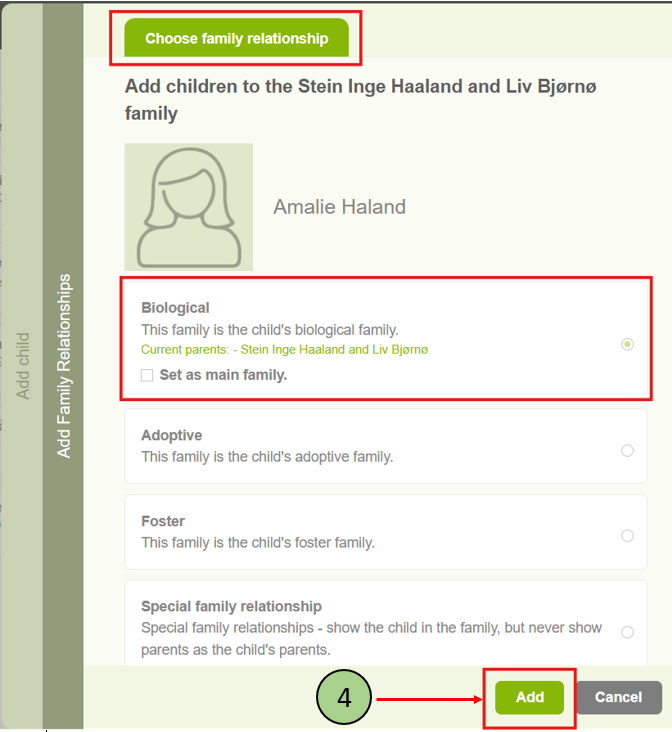
4. After that, you will be redirected to the section named “Choose family relationship,” where you can select the appropriate family relationship for the child. Choose the relevant relationship type and click the “Add” button.
Note: Once you select a relationship type, you will be prompted with an option to set this family as the main family. You can click on the checkbox if you prefer, or leave it unchecked.
Leave a Reply