We are pleased to introduce Vipps as a new and convenient payment option for purchasing Embla Family Treasures Embla Familie og Slekt. With Vipps, you can complete your purchase quickly and securely directly through www.embla.no.
This guide will walk you through the full purchase and registration process step by step.
Step-by-Step Guide to Purchase with Vipps
1. Access the Embla Website
- Go to www.embla.no.
- You will arrive at the Embla landing page.
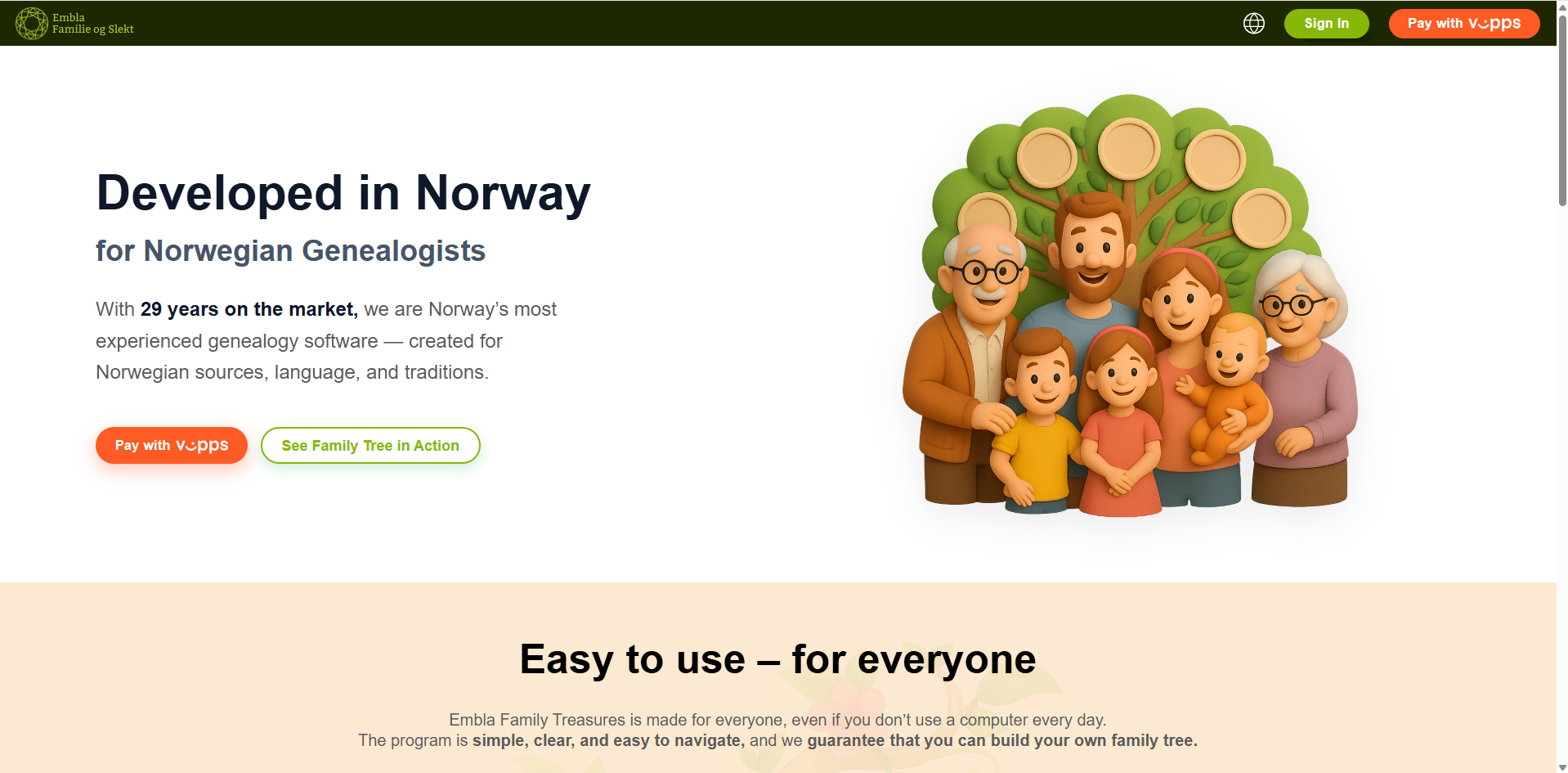
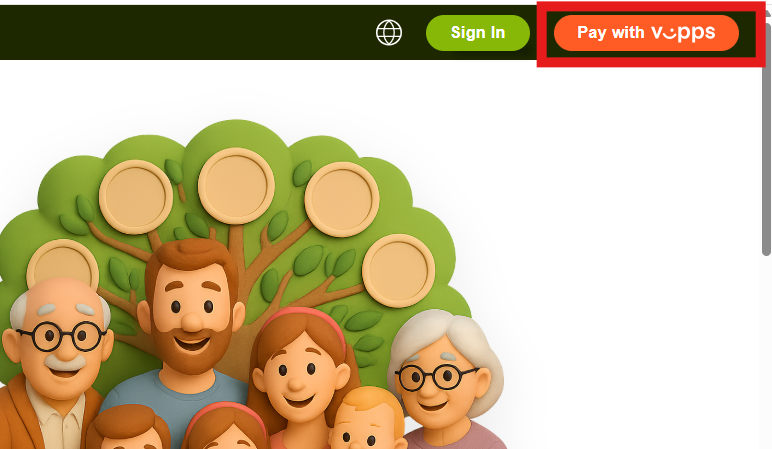
3. To purchase Version 10, click the “Pay with Vipps” button.
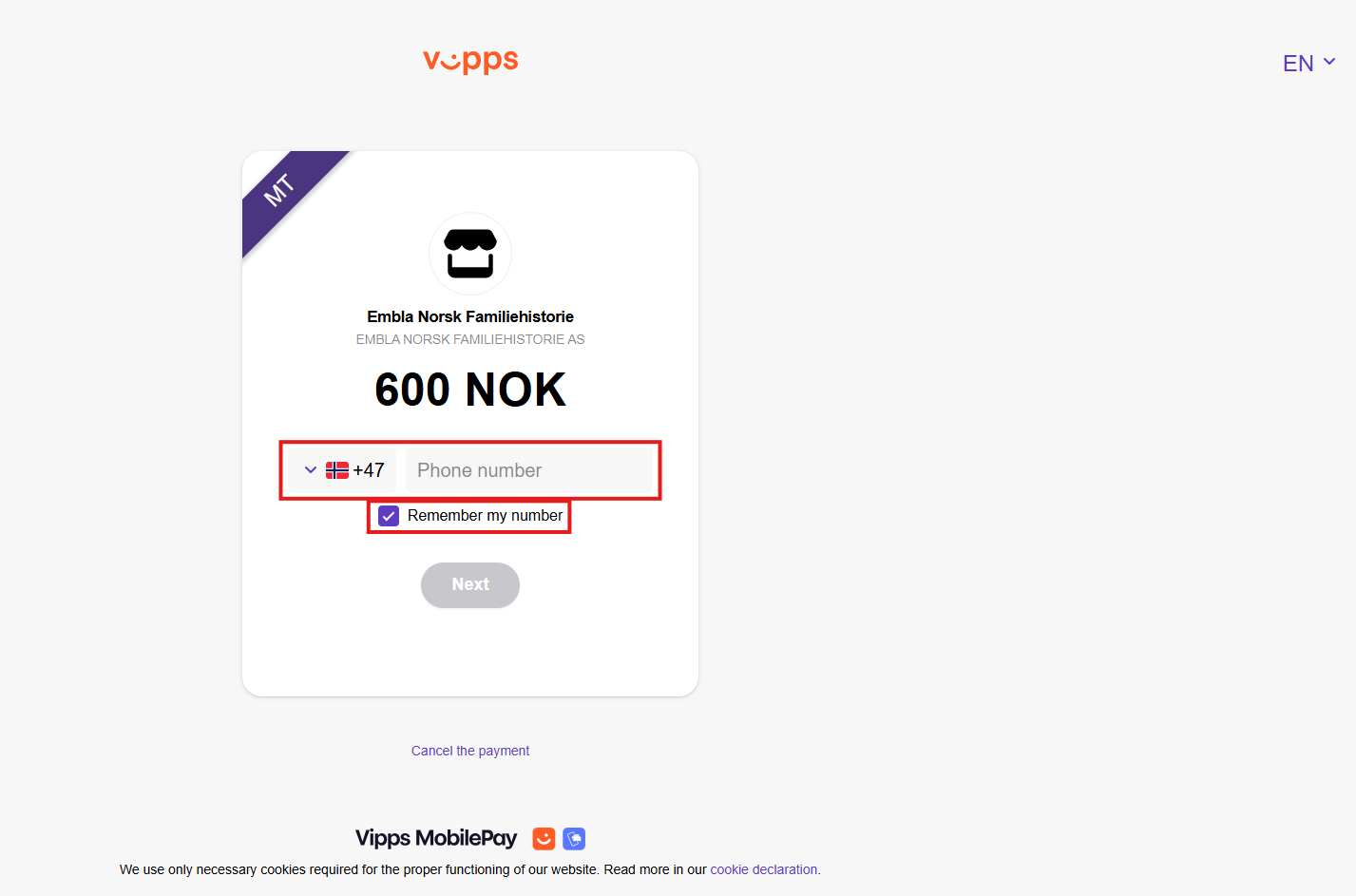
2. Enter Vipps Payment Details
- You will be redirected to the Vipps payment page.
- Enter your Vipps-registered mobile number and the required details.
- If you wish, you can select the checkbox “Remember my number” so you don’t need to enter it again in future payments.
- Click “Next” to continue.
3. Confirm the Payment in the Vipps App
1. You will see a countdown screen indicating the time available to complete the payment.
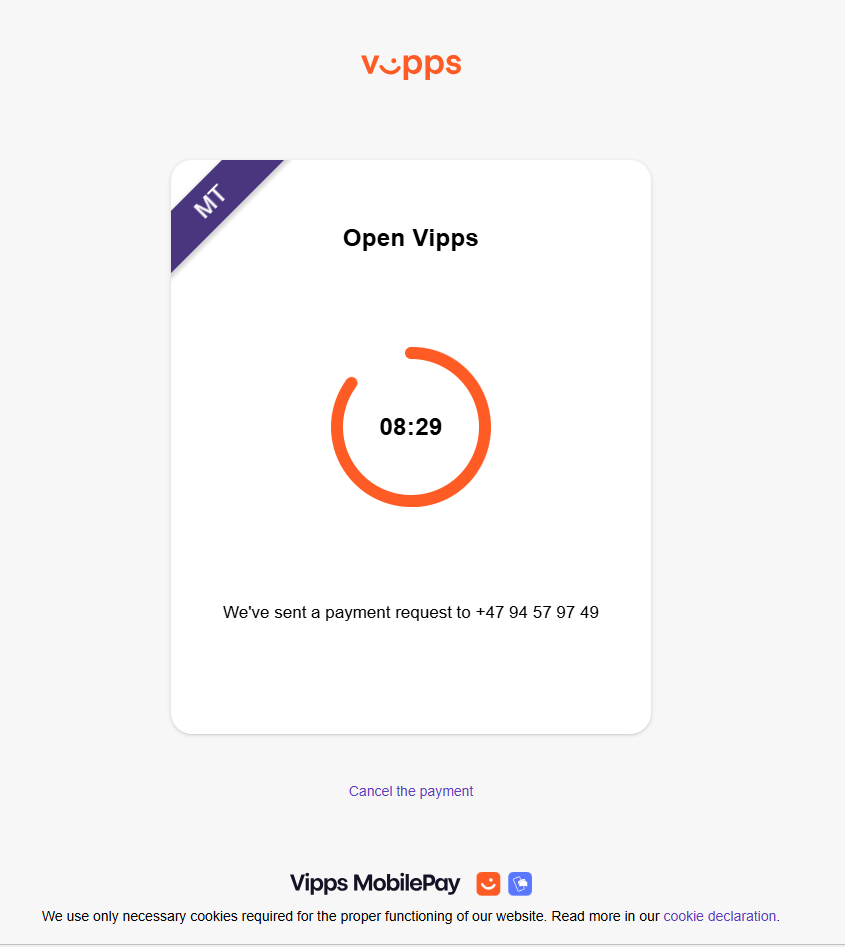
2. At the same time, you will receive a payment notification in your Vipps mobile app.
3. Open the Vipps app on your mobile phone to proceed.
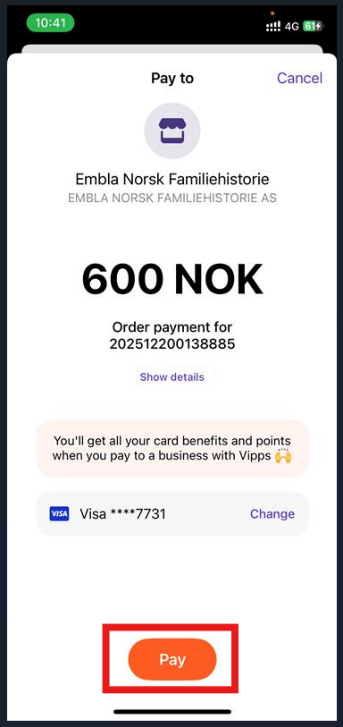
4. Complete the Payment
- In the Vipps app, review the payment details.
- Tap the “Pay” button to confirm the transaction.
5. Payment Receipt and Redirection
After successful payment:
-
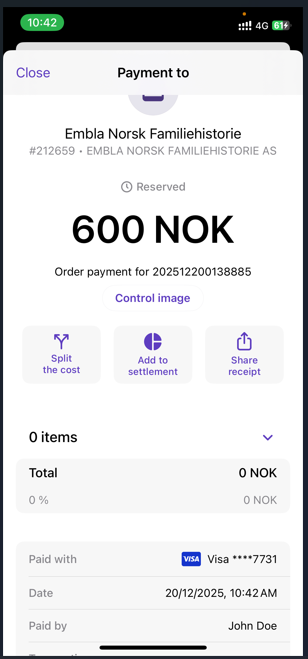
- A payment receipt will be displayed in the Vipps mobile app.
You can save or share the payment receipt directly from the Vipps mobile app if needed. - On your computer, you will be automatically redirected to the Embla registration form.
- A payment receipt will be displayed in the Vipps mobile app.
6. Register Your Embla Account
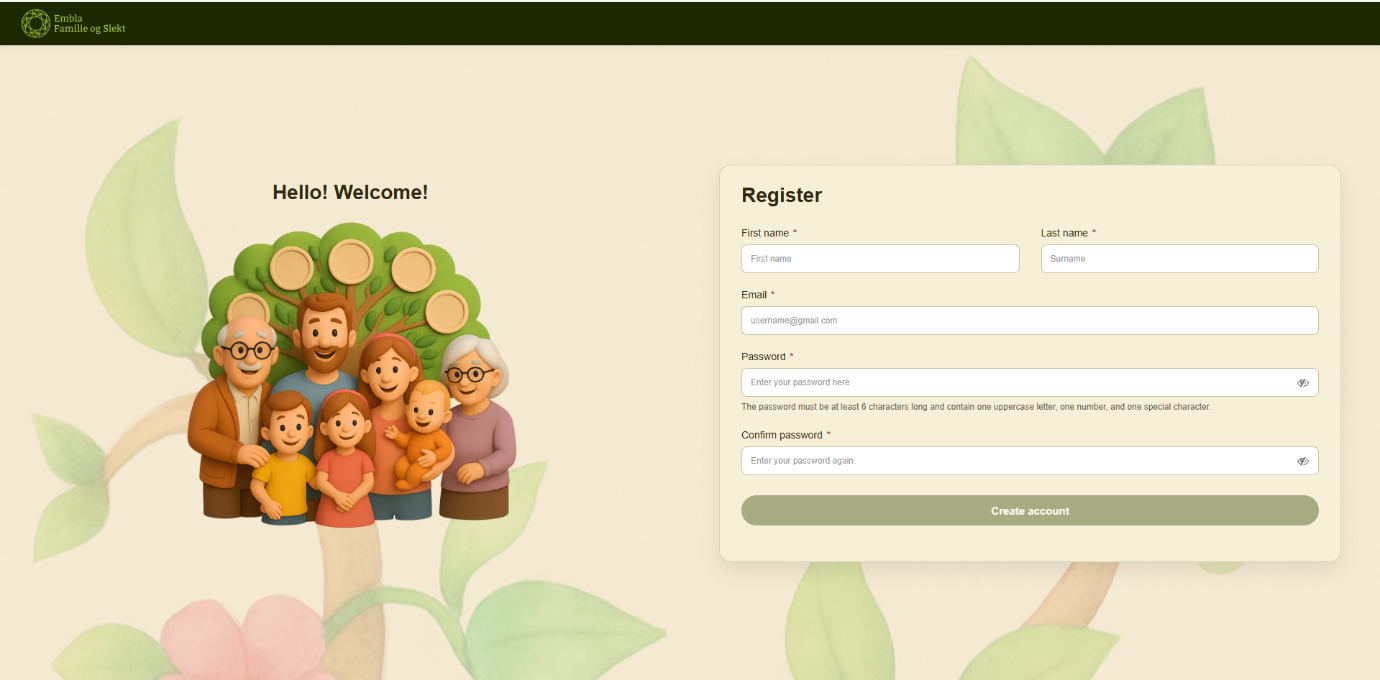
- Fill in all required fields in the registration form.
- The name and email address linked to your Vipps account will be filled in automatically.
- If you wish to use a different email address, you can delete the prefilled email and enter a new one. Your Embla account will be created using the email you provide.
Important:
• Make sure your password meets the required format.
• Please remember the password you enter, as it will be needed for future logins.
7. Submit the Registration Form
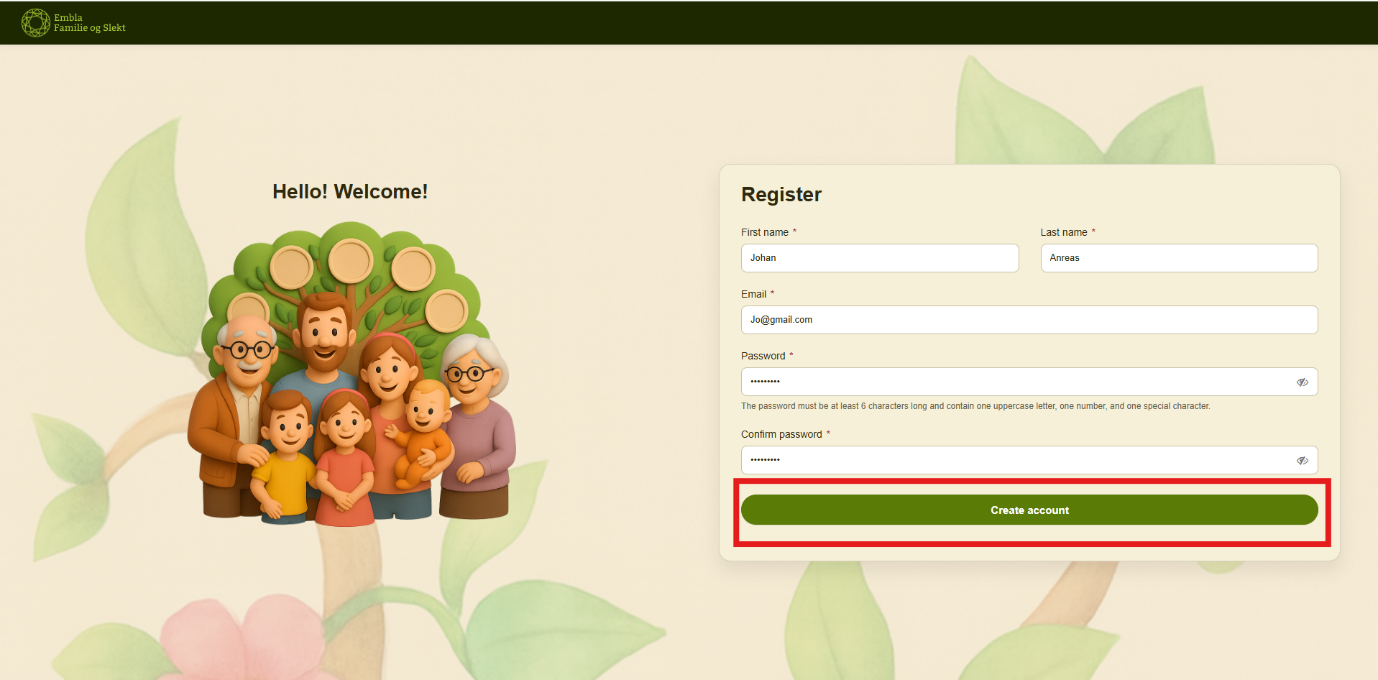
- Once all fields are completed correctly, the “Create account” button will become active.
- Click “Create account” to complete your account setup.
8. Log In to Your Embla Account
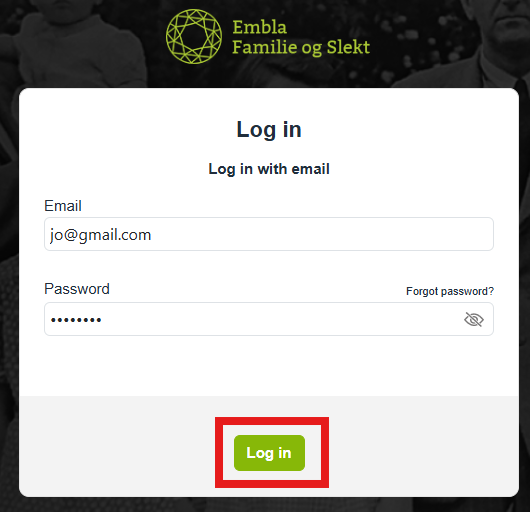
- After registration, you will be redirected to the login pop-up.
- Enter the email address and password you used during registration.
- Log in to start using Embla Family Treasures.
You’re Ready to Get Started
Congratulations! You have successfully purchased and registered for Embla Family Treasures using Vipps. You can now begin building and exploring your family history with Embla.
If you have any questions or need assistance, please feel free to contact our support team. Thank you for choosing Embla Family History.
Leave a Reply