We are happy to introduce the new Profile Page in Embla Familiehistorie. This feature gives you better control over your account by allowing you to update your personal information and change your password. You can also view the products you have purchased.
Below is a simple guide to help you use the new profile tools.
1. Accessing the Profile Page
a) Log in to your Embla Familiehistorie account.
b) Click on your name or the profile icon in the top-right corner.
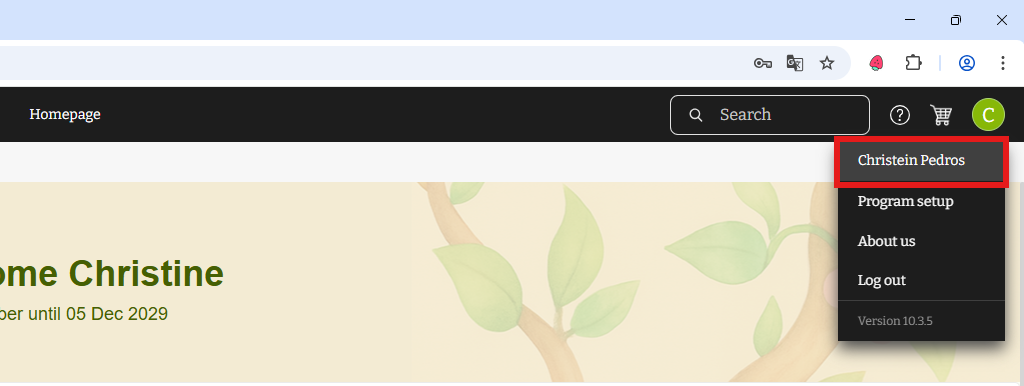
c) You will now be taken to your personal profile page where you can update your details.
2. Updating Your Name
On the profile page, you can update the name registered to your account.
a) Find the Name section.
b) Enter your updated First Name, Middle Name (optional), and Last Name.
c) Click the Save button.
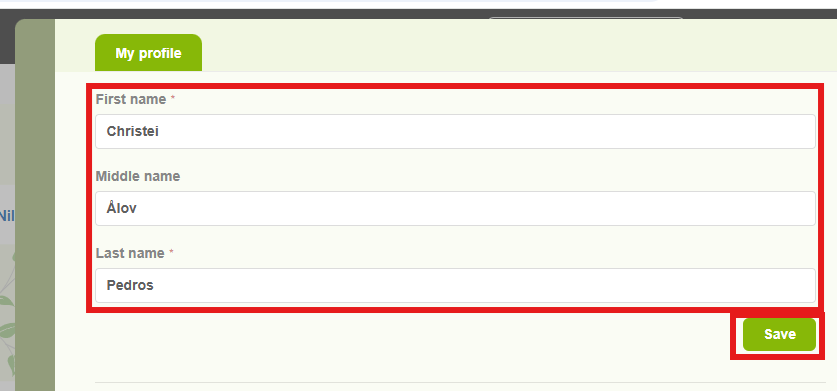
d) Your account name will now be updated.
3. Changing Your Password
If you would like to change your password, follow these steps:
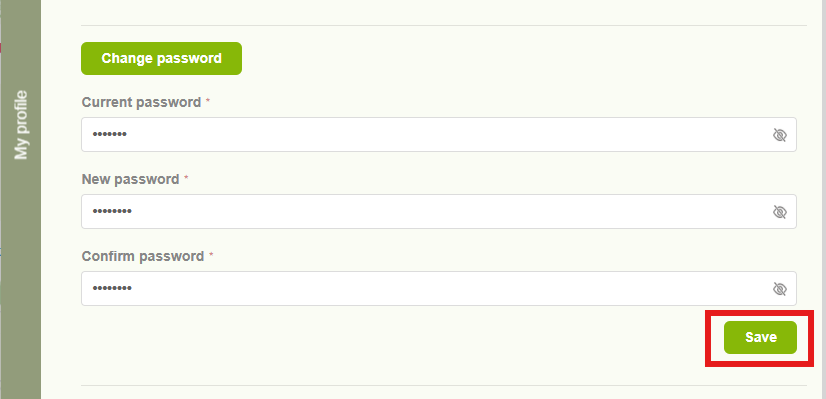
a) Click the “Change Password” button.
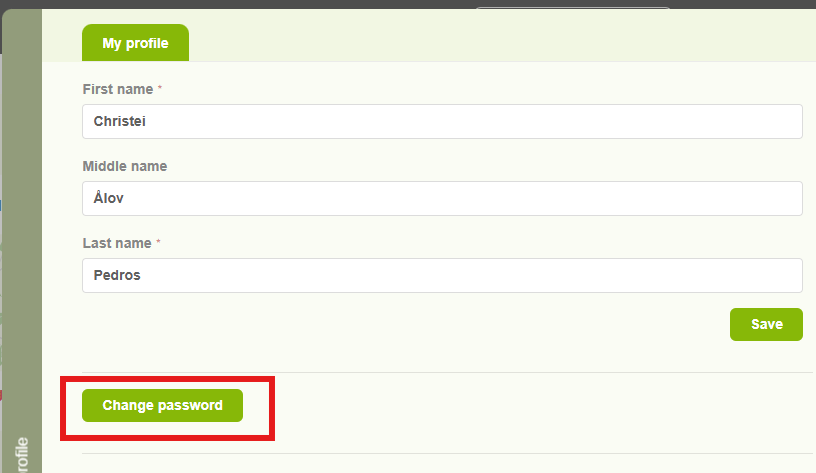
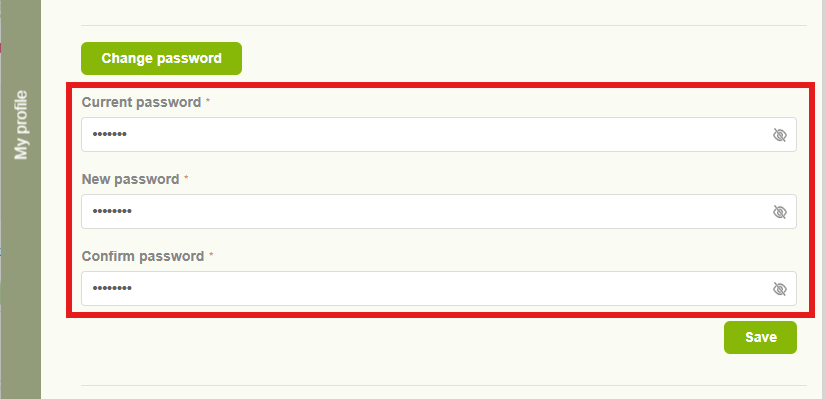
b) Enter your current password.
c) Type your new password.
d) Confirm your new password by entering it again.
To keep your account secure, your new password must meet the following requirements:
• At least 8 characters
• At least 1 uppercase letter
• At least 1 number
• At least 1 special character
Once all fields are completed, click Save. Your password will be successfully updated.
4. Viewing Your Email and Purchased Products
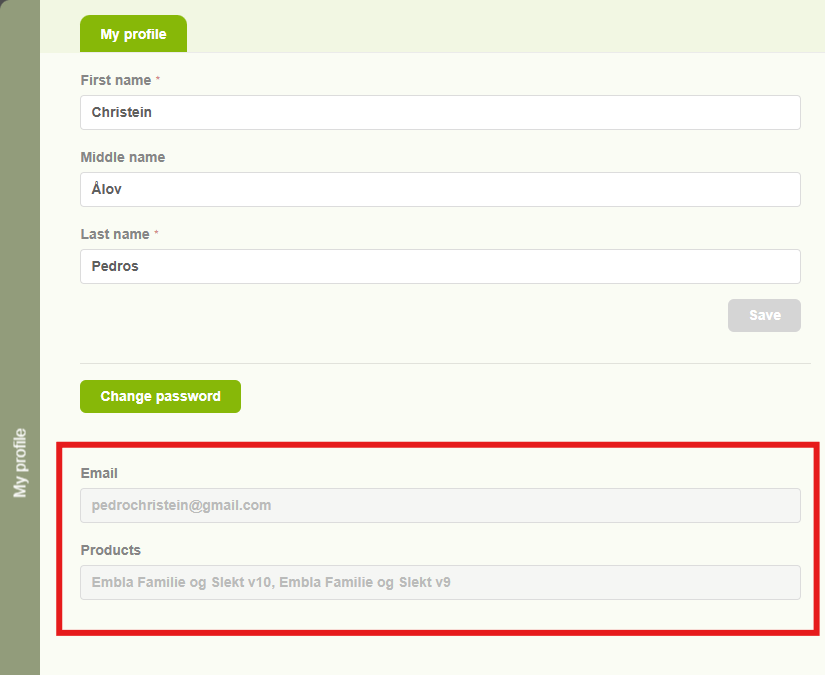
At the bottom of the profile page, you can see:
• The email address connected to your account
• The products you have purchased
These details cannot be changed, but they are available for easy viewing whenever you need them.
Leave a Reply