Tag: Tree editor
-
How to use the Embla Family Treasures
Embla Family Treasures Version 10 is an intuitive web-based application designed to streamline the process of managing your family tree.
-
Editors
Tree overview, Person editor, Family editor are the major features in V10 application.
-
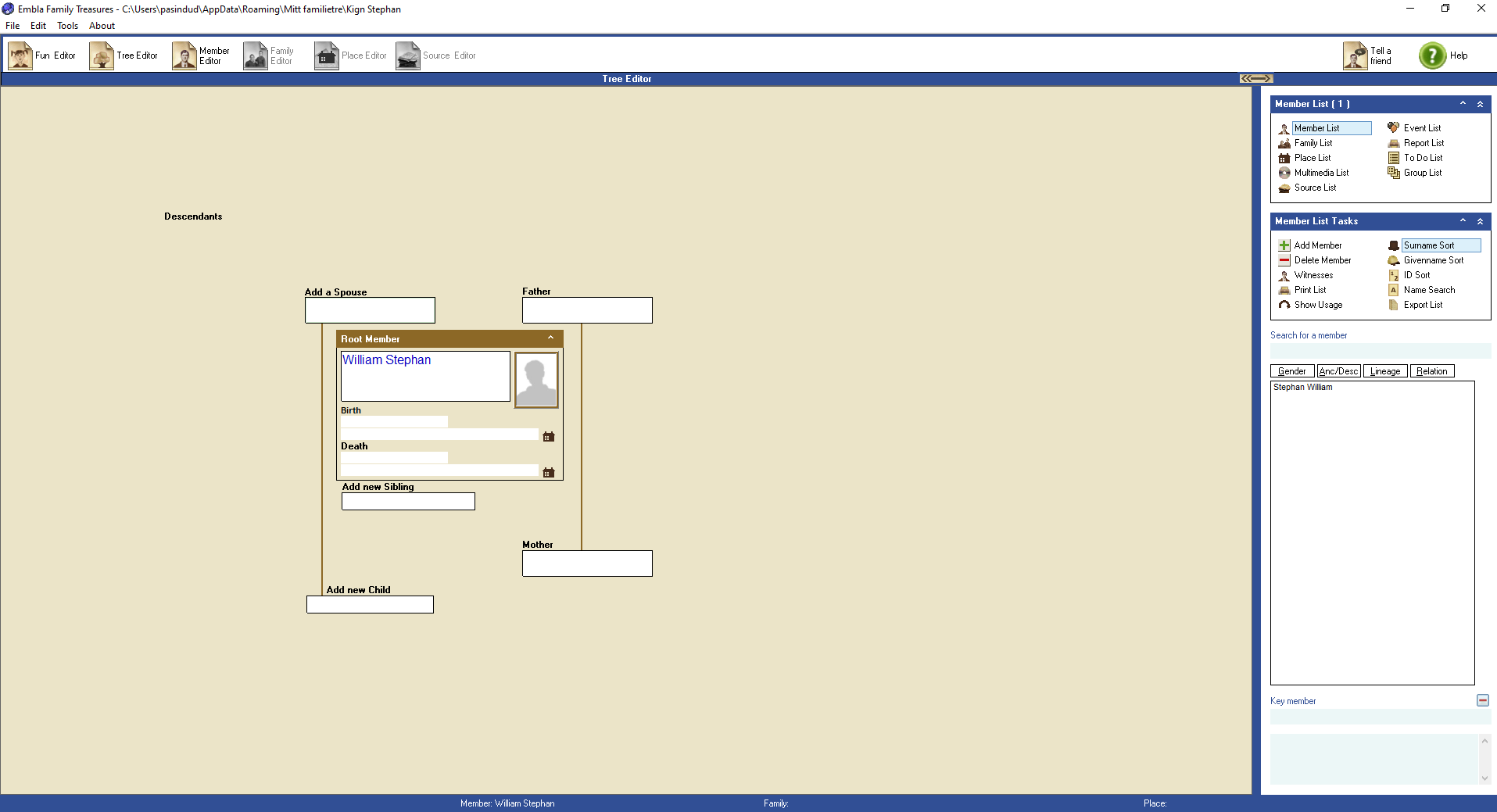
Add new person from the tree editor
The first time you start, all the fields in the family tree will be empty. To expand the tree, first select the field where you want to add a new person. To “select” means to click once with the left mouse button. There are three different color types for a selected field: Light green background…
-
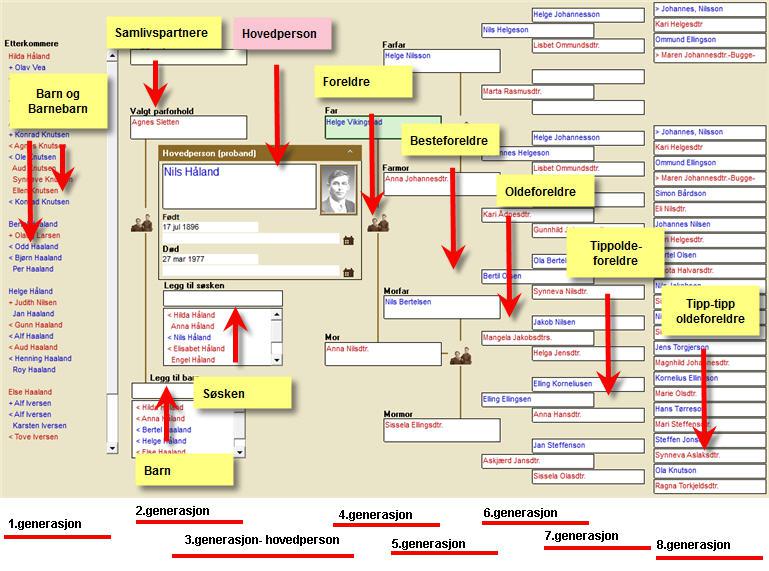
Tree editor – Overview
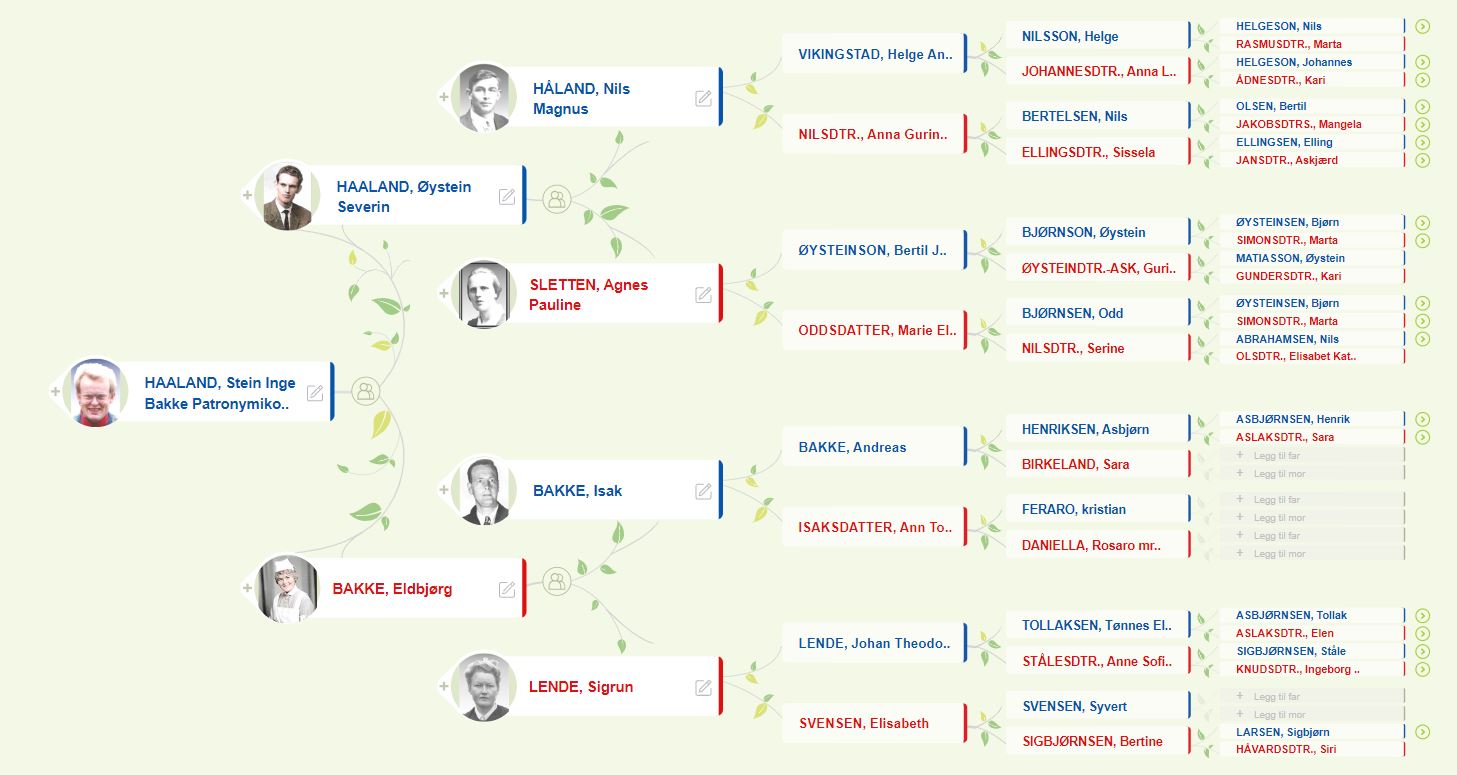
The overview form opens by clicking on the button with the image of a tree. In the Overview form you can see six generations with ancestors and three generations with descendants, as well as all siblings and cohabiting partners / spouses / cohabitants etc. In total you can see eight generations on one screen at…
-
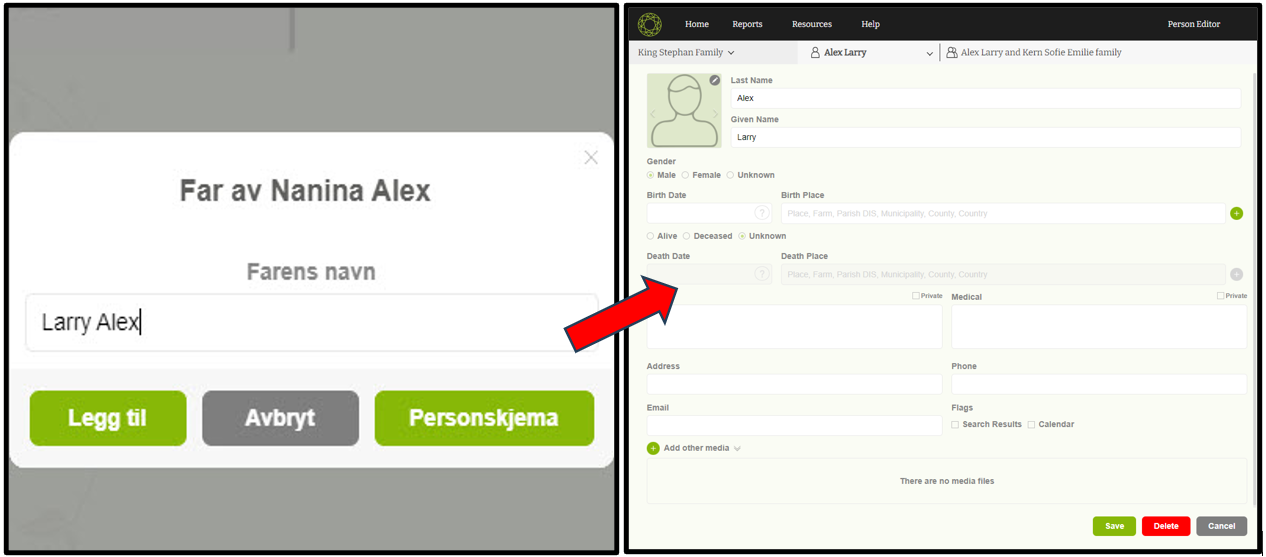
Navigate to ‘Member editor’
This is a one method to navigate to the member editor form simply.
-
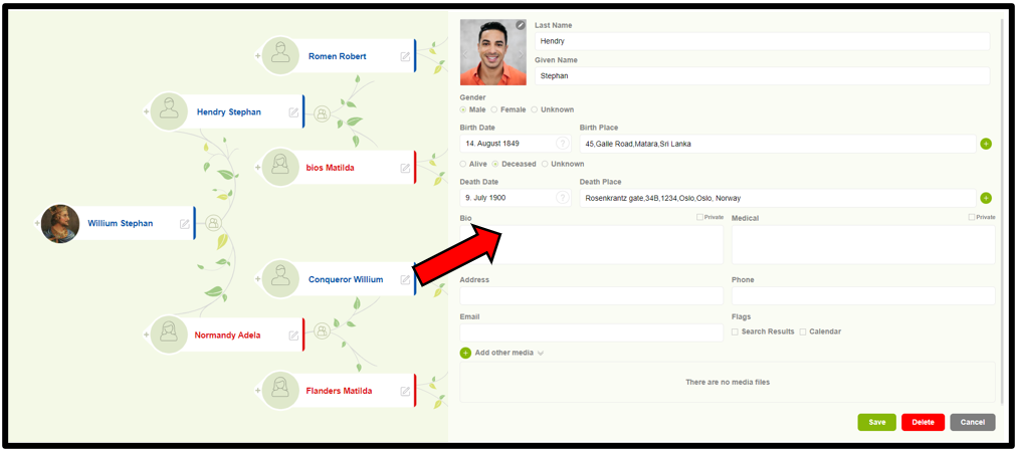
Edit a person details
Users can now easily edit a member’s details with one step.
-
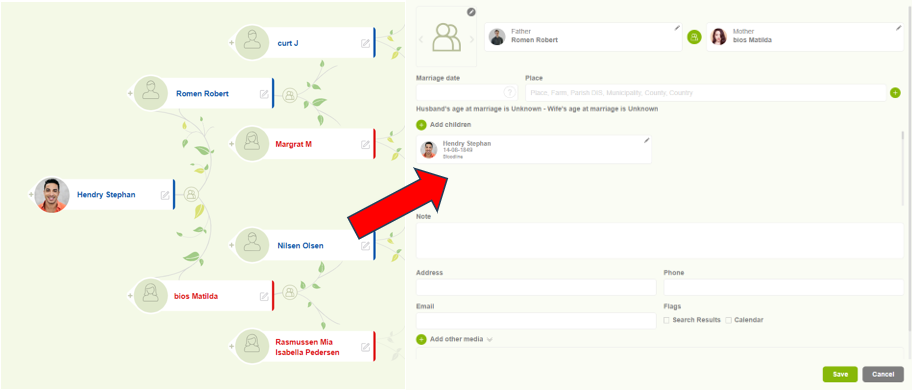
Navigate to Family editor
Users can access the “Family Editor” to view and update the family details.
-
Change the root person
Simple methods to change the root person through the tree overview.
-
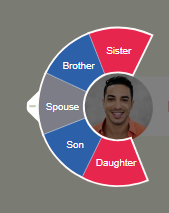
Add spouse, children, and siblings
Users can easily add family members such as spouses, children, and siblings.
-
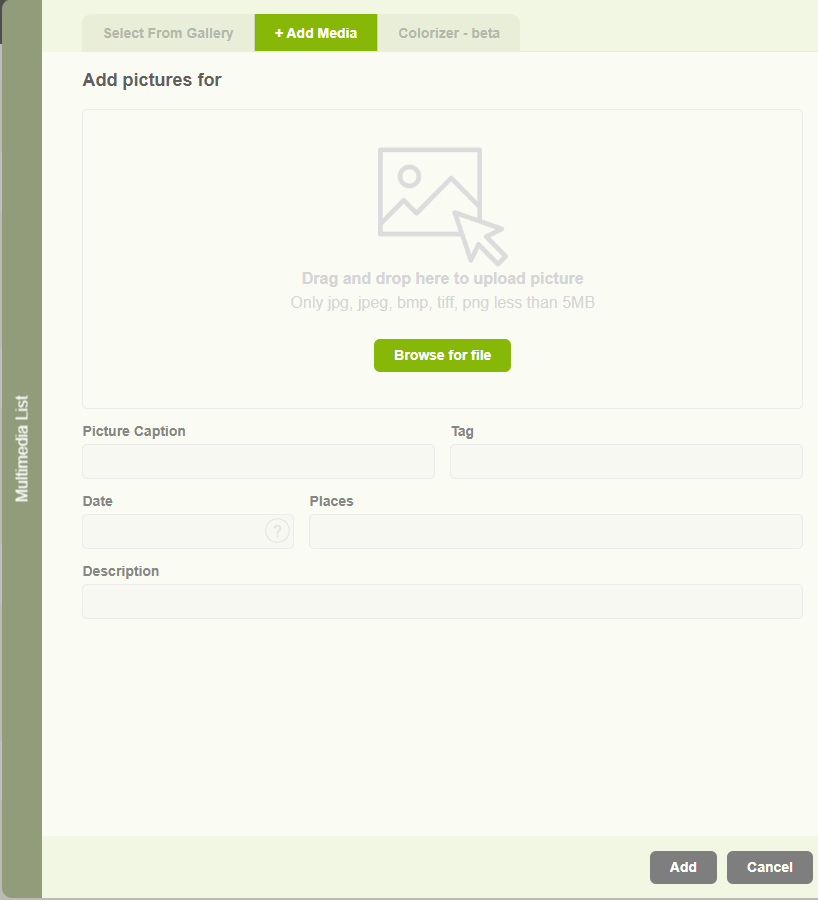
Add a profile image to a member
This is the way to add profile image to the individuals.
-
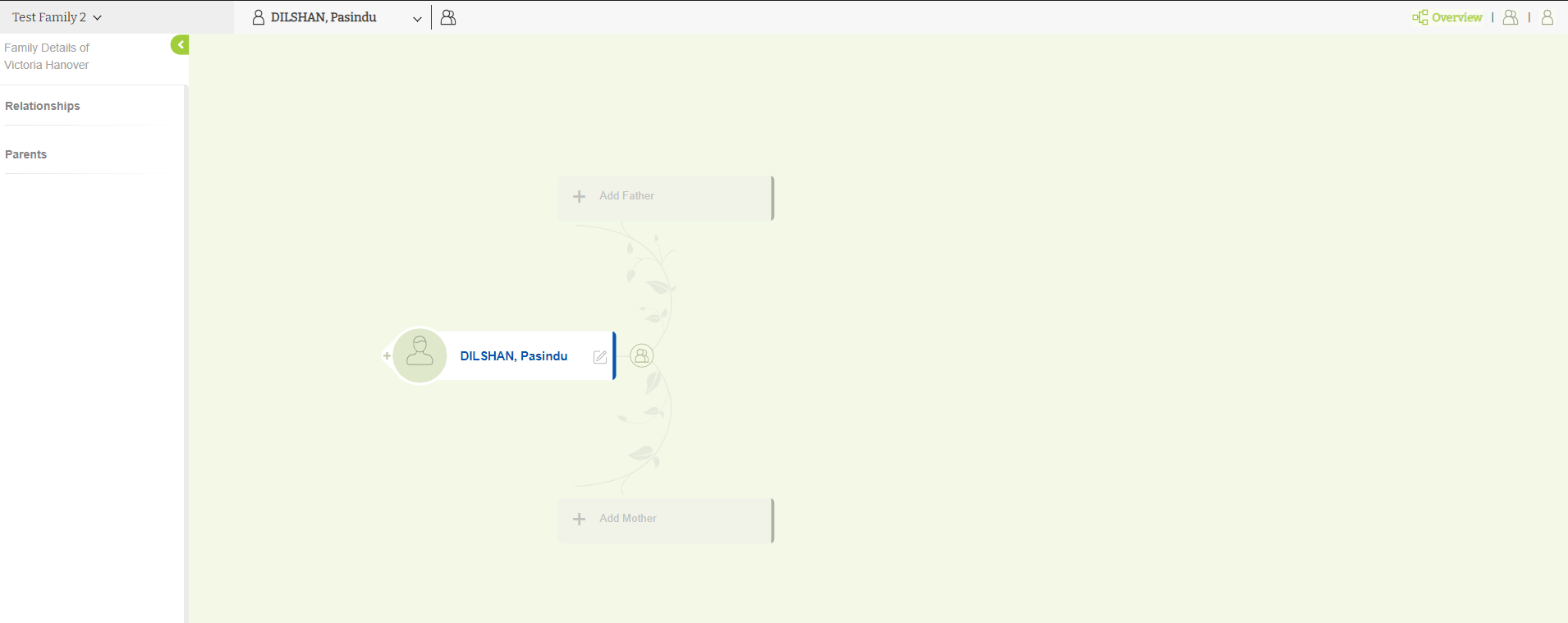
Tree editor overview
Basic view of the Tree overview in Version 10.
-
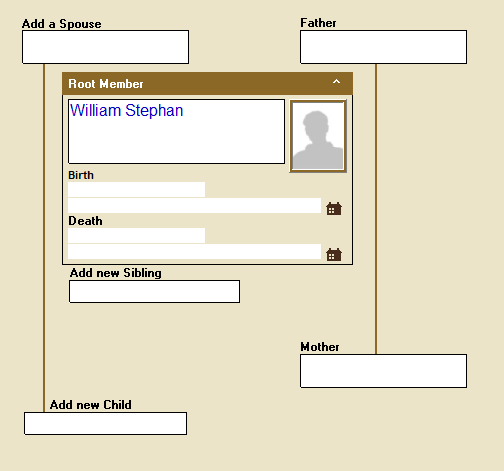
Add new members to the tree by overview.
The first time you start, all the fields in the family tree will be empty. To expand the tree, first select the field where you want to add a new person. “Select” means to click once with the left mouse button. There are different color types for a selected field: A light green background with…
-
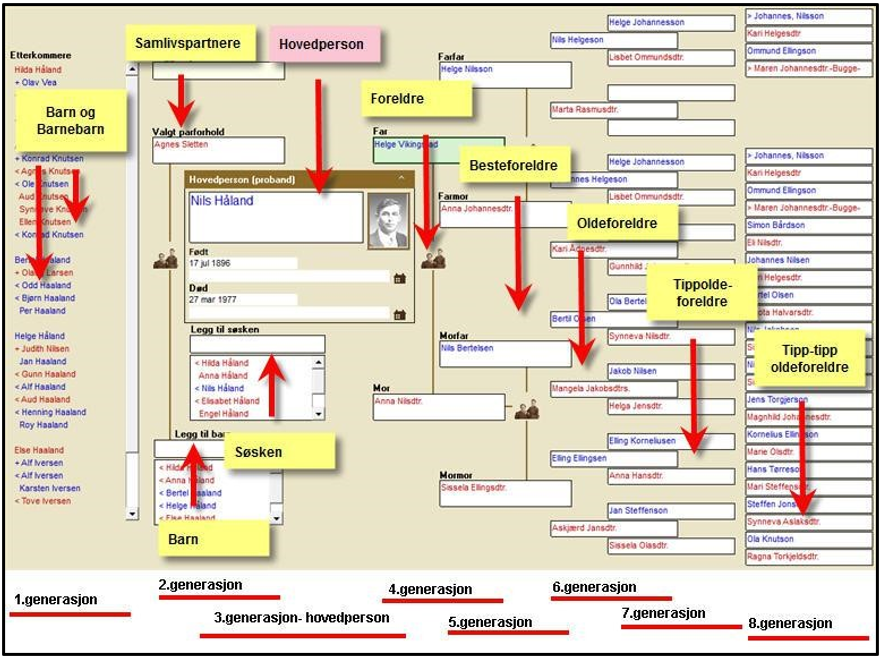
Navigate to the tree overview
1. Open the “Embla Familie og Slekt v9” application. The overview form opens by clicking on the button with the image of a tree. 2. In the Overview form, you can see six generations with ancestors and three generations with descendants, as well as all siblings and cohabiting partners/spouses/cohabitants etc. In total, you can see…
-
Add parents
You can add your parents with the simple steps.